

How Does a Dash Cam Detect Motion or Impact in Parking Mode?

Parking-mode dash cams use a G-sensor, image analysis, and sometimes both. Impact triggers usually save the most dependable clip, while motion triggers catch approach events but can wake the camera often. Miss the right setting and you either drain the battery or miss the hit. This guide explains motion, impact, and hybrid triggers, plus which setup fits garages, streets, and busy lots.
What parking mode does
Parking mode keeps the camera ready after ignition off, but it does not always record constantly. In most systems, the camera sits in a low-power standby state and starts recording only when movement or impact crosses a trigger threshold. That keeps file size and power use lower than continuous recording.
The main tradeoff is simple: the more sensitive the trigger, the more likely you are to catch a real event, but the more likely you are to collect false clips and use more power. The less sensitive the trigger, the quieter the system becomes, but the more likely it is to miss the first second of the problem.
Why dash cams keep watching with the ignition off
Parking mode exists to record events that happen after you leave the car, including hit-and-runs, vandalism, someone leaning into a window, or a slow scrape in a tight lot. The camera usually enters parking mode after ignition power turns off, then stays alert until a trigger wakes it.
That low-power parked state matters because a dash cam cannot sit there recording all day at full power without draining the vehicle battery. The system has to choose between readiness and drain.
What kinds of incidents parking mode can capture
Parking mode records only when movement or impacts are detected. That is useful for a door strike in a grocery lot, a cart bump, or a person approaching the car and then reaching for a handle. It is less useful for slow, subtle damage that never crosses the trigger threshold.
Picture a car parked in a narrow apartment lot. A neighbor’s sedan brushes the rear corner while backing out. A strong impact trigger may lock the clip. A weak motion-only setup may never wake in time if the contact is too slight.
Why detection method matters for evidence quality
Trigger type affects more than power use. It also affects whether the clip starts before the event, whether the camera wakes for harmless motion, and whether the system can keep up in a crowded parking area. Buffered recording helps here because it can save pre-event and post-event footage, reducing the risk of missing the lead-up.
Some systems also use radar parking mode, which detects motion with radar instead of only camera motion detection. That can reduce power draw compared with always analyzing the image stream, and some premium models use it to improve parked monitoring without keeping the camera fully awake all the time.
How does a dash cam detect motion in parking mode?
Motion parking mode uses image analysis to spot movement around a parked vehicle. When a person, vehicle, or object moves into the camera’s view, the dash cam can wake and start recording. Some models advertise motion detection from up to 10M / 33FT away, though range and reliability depend on the scene, lighting, and camera angle.
How motion sensors react to movement near the car
In practice, a motion sensor watches for changes in the image. If someone walks toward the bumper or a car crosses the frame, the camera treats that as a possible event and begins recording. This makes motion mode useful in lots where activity starts before contact, such as a person approaching a side window or a vehicle edging into a parking space.
Motion detection can be valuable when the incident starts before the impact. It can also be the mode most likely to record the approach itself, which matters if the event ends before any hit occurs.
Why motion detection can miss side or rear events
Motion mode is only as good as the view it can see. A dash cam aimed forward may miss a side-door scrape, a rear bumper tap, or a blow that happens outside the frame. Low-light scenes, glare, or a vehicle parked close to a wall can also reduce useful coverage.
That is why motion detection should not be treated as full-coverage protection. It is a view-based trigger, not a perimeter alarm.
Common false triggers from traffic, wind, rain, and heat shimmer
Motion detection can false-trigger from pedestrians, branches, rain, passing traffic, and heat shimmer. A tree moving in the wind may look like an approaching person. Headlights from a passing lane can cause repeated wakes. Rain streaks, reflections, and hot pavement distortion can also make the camera think something changed in the frame.
Say your car is parked under a tree in summer. The wind shakes the branches every few minutes, and the camera keeps waking for empty movement. The result is a pile of short clips, a fuller card, and less battery headroom than expected.
How does a dash cam detect impact in parking mode?
Impact parking mode uses a G-sensor, also called an accelerometer, to detect vibration or a hit. When the vehicle moves sharply or gets struck, the camera can start recording and lock important video segments so they are not overwritten. Nexar says parking mode uses sensors that detect impact when the car is parked.
How the G-sensor reacts to vibration or a hit
The G-sensor watches for sudden changes in motion. A firm bump, a door strike, or a collision can trip it. Once triggered, the camera may save a clip automatically. The same source says the camera can cut a 30-second clip after impact, and Mashtips describes impact-triggered recording as locking videos on impact.
This makes impact mode a strong fit when the key problem is contact, not approach. It is often better at preserving the event itself than at recording the lead-up.
Why impact detection can miss low-force bumps
Impact detection is not perfect. A slow roll-away scrape, a soft brush from a bicycle handlebar, or a light bump from a shopping cart may not generate enough vibration to cross the threshold. If the sensitivity is set too low, the camera may miss the incident entirely.
Set it too high, and the camera may lock clips for every trunk slam or heavy truck rumble nearby. That tradeoff is why a single sensitivity setting rarely works for every lot.
How locked clips protect event footage
Locked clips keep important files from being overwritten by loop recording. That matters because parking-mode incidents are often brief. If the camera stores a 30-second clip after impact, the locked segment can preserve the key moment without relying on manual review later.
Locked clips are useful, but they still depend on the trigger firing. If the sensor never wakes, there is nothing to protect.
Parking mode decision matrix
The right parking mode depends on how the car is parked, how long it will sit, and how much false activity is around it. The table below compares motion, impact, radar, and time-lapse across the factors that matter most for real parking environments.
| Mode | Detection speed | False triggers | Pre-event capture | Power draw | Storage use | Best parking environment | Battery-risk level |
|---|---|---|---|---|---|---|---|
| Motion | Fast once movement enters frame | Higher in busy lots, wind, rain, or traffic | Good when buffered; weak when unbuffered | Medium | Medium to high | Driveway, private garage, moderate-traffic lot | Medium |
| Impact | Very fast at contact | Lower, but bumps and vibration can still trip it | Good with buffered recording; otherwise limited | Low to medium | Low to medium | Street parking, apartment lots, collision-prone areas | Low |
| Radar | Fast for nearby motion | Lower than image motion in many scenes | Often good when buffered is supported | Low | Medium | Busy lots, premium installs, mixed traffic areas | Low |
| Time-lapse | Slowest for incident detection, but continuous in frames | Very low | Weak for exact lead-up unless paired with event recording | Lowest | Lowest | Long-term parking, airport stays, fleet storage | Lowest |
Match the mode to the parking situation
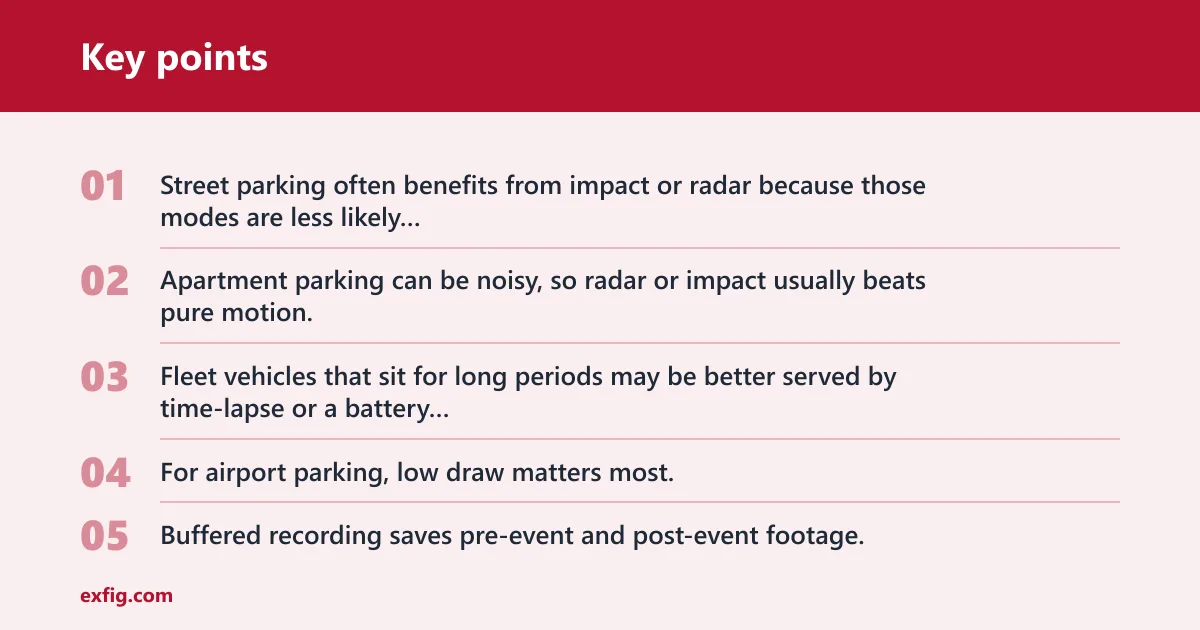
Street parking often benefits from impact or radar because those modes are less likely to fill the card with harmless motion. Apartment parking can be noisy, so radar or impact usually beats pure motion. Fleet vehicles that sit for long periods may be better served by time-lapse or a battery pack with conservative trigger settings. For airport parking, low draw matters most, so time-lapse or a dedicated battery source is usually the safer starting point.
Buffered recording versus unbuffered recording
Buffered recording saves pre-event and post-event footage, which is the practical difference many buyers miss. An unbuffered clip starts only after the trigger fires, so the first part of the event may be gone. Buffered recording gives the camera a short memory before the trigger, which is useful when the contact happens before the camera fully wakes.
A common first-timer mistake is choosing impact-only parking mode in a lot with slow creeping traffic. If a car taps the bumper and then rolls away, an unbuffered system may miss the actual contact frame. Buffered capture gives more context.
What hardware powers parking mode?
Parking mode needs power after ignition off. That usually means a hardwire kit, an OBD-II power cable, or a dash cam battery pack. Each option changes how easy the install is, how long parking coverage can last, and how much strain it puts on the car battery.
Hardwire kits and low-voltage cutoff
A hardwire kit connects the dash cam to the fuse box and enables parking mode after ignition off. It usually includes low-voltage cutoff, also called voltage cutoff protection, which shuts the system down at a preset battery threshold to reduce the risk of a flat battery. BlackboxMyCar says hardwire kits include voltage cutoff to protect the vehicle battery.
This is the most common way to power parking mode on many cars because it gives direct access to parked power and battery protection in one setup.
OBD-II power cables as a simpler option
An OBD-II power cable is a simpler alternative to hardwiring. It can power parking mode on some vehicles without running wires to the fuse box, which makes installation easier. The tradeoff is that fit and behavior vary by vehicle, and not every car handles OBD power the same way.
Battery packs for longer parking coverage
A dash cam battery pack is a dedicated power source for longer parking coverage. It reduces reliance on the car battery and can be a better fit for long airport stays, all-day street parking, or repeated overnight monitoring. It is the cleanest way to extend runtime without leaning on the starter battery.
Will parking mode drain my car battery? Yes, it can if the camera runs too long without cutoff protection or an external battery. That is why voltage cutoff and a dedicated power source matter as much as the trigger type.
Why does my dash cam wake up after I park?
A dash cam wakes up after parking because it has entered hibernation or standby state and detected a trigger. That low-power state supports around-the-clock monitoring without full-time recording. Motion, impact, or radar can bring the camera back to active mode for an event clip.
How hibernation or standby works
In standby, the camera watches for changes while using less power than normal recording. The same source says the dash cam enters parking mode after ignition power turns off, and Mashtips says the camera shuts down after a period without movement or vibration. Those are two sides of the same idea: stay quiet until something worth recording happens.
What wakes the camera from low power
A strong vibration, a detected person, or radar-detected motion can wake the unit. Some systems also wake for repeated small disturbances if the sensitivity is set high. That is helpful in a vandalism-prone area, but it can be annoying in a lot with constant foot traffic.
When radar parking mode is a better fit
Radar parking mode is often a better fit when the car sits in a busy environment and the owner wants fewer false wakes than image-based motion detection tends to produce. It can be useful in apartment garages or retail lots where motion in the frame is constant but true incidents are less common.
Does parking mode need a hardwire kit? Not always, but a hardwire kit is the standard route for reliable parked power and battery cutoff. Some vehicles can use OBD-II power, and some long-duration setups work better with a battery pack.
Frequently asked questions
What is the difference between motion detection and G-sensor parking mode?
Motion detection looks for movement in the camera’s view. G-sensor mode looks for vibration or impact on the vehicle itself. Motion is better for approach events, while G-sensor is better for contact events.
Will parking mode drain my car battery?
It can, especially if the camera runs for long periods without cutoff protection. A hardwire kit with voltage cutoff helps prevent a flat battery by shutting the system down at a preset threshold. A battery pack lowers the load on the car battery even further.
Can parking mode miss an impact or a hit-and-run?
Yes. A light bump may not trip the G-sensor, and a side or rear event may happen outside the camera’s view. Buffered recording helps when the trigger does fire, but it cannot recover footage from a trigger that never happened.
What is buffered parking mode on a dash cam?
Buffered parking mode saves footage before and after the trigger, so the clip includes more of the lead-up to the incident. That makes it more useful than an unbuffered clip that starts only after the camera wakes. It is especially helpful for quick contact events.
Which parking mode is best for long-term parking?
Time-lapse is usually the best fit for long-term parking because it lowers storage use and power draw. For very long stays, pair it with a battery pack or a hardwire kit with cutoff protection. Motion-heavy modes are more likely to waste power and storage over time.
Why does my dash cam wake up after I park the car?
It has probably entered standby or hibernation and then detected motion, impact, or radar movement. That wake-up behavior is normal in parking mode. If it wakes too often, sensitivity may be set too high for the parking environment.
Can a dash cam record while the ignition is off?
Yes. Parking mode is designed to record after ignition off, usually through a hardwire kit, an OBD-II power cable, or a battery pack. The camera can then sit in low power and wake only when a trigger is detected.