

How Do You Install a Vent Phone Mount Without Blocking Airflow?

Clip the mount to the outermost vent slat, with the phone cradle centered on the slat edge and the vent blades angled so the clamp never spans the vent throat. If you clamp across the opening, you block airflow, strain brittle slats, and can make the vent sag. This guide shows the install sequence and placement rules that keep cooling and heat output usable.
Horizontal, vertical, and round vents
Horizontal slats usually give the cleanest clip placement, because the mount can sit on one outer blade while most of the outlet stays open. Vertical slats can work too, but the side load on the clip is higher, so the mount may be more likely to tilt or twist if the blades are thin. Round vents often need a different style entirely.
Horizontal slats
On a horizontal vent, aim for the uppermost or outermost slat that sits closest to the vent frame. That keeps the clip on the edge instead of across the center opening. The phone should hang beside the outlet, not in front of it.
This layout usually gives the best balance of stability and airflow because the clip contact point stays outside the main stream. The vent can still aim air around the mount, and the phone body is less likely to cover the full outlet face.
Vertical slats
Vertical slats work best when the clip can grab a solid outer blade with enough depth to resist side-loading. Thin or flexible vertical blades are more likely to bend when the phone weight pulls sideways. That can move the mount into the airflow path even if it looked centered at first.
If the vent blades flex when touched, treat that as a warning sign. A mount that barely holds on can still shift every time you hit a rough road or rotate the phone.
Round vents
Round vents often have a curved outlet, a deep recess, or a narrow lip that leaves little room for a spring clip. Many clip-style mounts sit awkwardly on the ring and cover more of the opening than they should. A dashboard, windshield, or cup holder mount is often the cleaner choice here.
Suppose a round center vent sits deep in the dash and the clip has to reach past the trim ring. The mount may appear secure, but the phone body can sit directly in front of the airflow path and leave the vent partly useless.
Which vents are safest for clip mounts?
The safest vents for clip mounts usually have sturdy outer slats, a clear outlet opening, and enough frame around the vent to support the clip without spreading the blades. Avoid loose blades, soft plastic edges, and deep recesses that force the mount to sit inside the airflow path. If the vent moves freely after clipping, that is a good sign; if it binds, rethink the setup.
Best case
Best case means a strong outer slat, an open outlet, and enough clearance for the mount body to hang beside the vent. In that layout, the clip touches the blade edge and the phone sits low enough that air can still move across the opening. Vent clips are often the easiest first experiment, but only on the right vent.
Poor fit
Loose vent blades can sag. Deep recesses can hide the clip body inside the vent throat, where even a small mount may block more air than expected. Thin slat edges are also a problem because they can crack or deform under repeated loading.
A common first-timer mistake is choosing the strongest-looking clip instead of the strongest vent blade. The result is a mount that seems firm for a day, then starts leaning, rattling, or pressing farther into the outlet every time the phone is adjusted.
When to switch mount styles
Switch to a dashboard, windshield, CD slot, cup holder, or magnetic mount when the vent has weak slats, a deep recess, or a shape that forces the phone into the airflow stream. A dashboard or windshield suction route may give a clearer screen angle, while a cup holder mount keeps the vent fully open.
Walmart lists a vent mount kit with vent, suction, and cup holder setups. Walmart also lists an iOttie vent holder priced at $24.95 and an onn dashboard and windshield mount priced at $7.88. Those listings reflect the main tradeoff: different mount routes solve different cabin layouts.
Vent placement checklist
Use this checklist before you tighten anything. It helps you compare vent type, clip zone, outlet visibility, and whether the phone or cable path intrudes into the airflow stream. The goal is not only to fit the mount. The goal is to keep the vent usable after installation.
| Vent type | Safe clip zone | Airflow risk | Final placement test |
|---|---|---|---|
| Horizontal slats | Outer slat edge near the frame | Low if the phone hangs beside the outlet, higher if the cradle crosses the opening | Mark whether the clip sits on the outer slat, how much outlet opening remains visible, whether the vent still moves freely, and whether the phone path blocks the airflow stream |
| Vertical slats | Strong outer blade with solid support | Moderate to high if side-load causes tilt or blade flex | Confirm the clip stays on the edge, the vent can still angle, and the phone does not swing into the outlet when pressed |
| Round vents | Outer ring only, if the lip is firm | High if the clip sits inside the ring or blocks the center opening | Check whether the mount leaves the vent throat visible and whether the phone body sits outside the circular airflow path |
| Loose blades | Usually not suitable | High because the blade can sag under phone weight | See whether the vent still holds its aim after the clip is attached; if not, switch mount styles |
| Deep recesses | Outer lip only, if any | High because the mount body can sit inside the outlet | Make sure the clip does not disappear into the vent throat and that visible opening remains around the mount |
Install the mount on the outer slat edge
The cleanest install starts with the clip on the outer slat edge, not across the throat of the vent. That keeps the clip contact point on the strongest part of the blade and leaves the main outlet open. Keep the phone cradle centered on the slat edge so the mount hangs outside the airflow stream.
Exact installation sequence
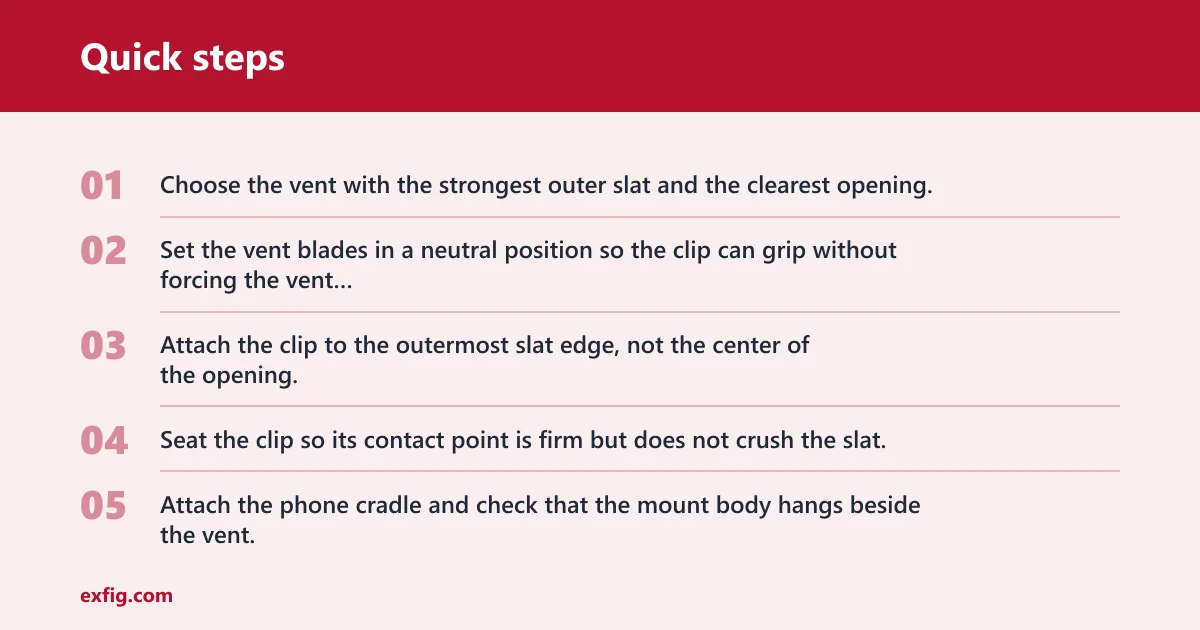
- Choose the vent with the strongest outer slat and the clearest opening.
- Set the vent blades in a neutral position so the clip can grip without forcing the vent out of alignment.
- Attach the clip to the outermost slat edge, not the center of the opening.
- Seat the clip so its contact point is firm but does not crush the slat.
- Attach the phone cradle and check that the mount body hangs beside the vent, not in front of it.
- Tighten the rotation joint or ball joint only after the clip is stable.
- Adjust the angle so the screen is visible from the natural glance zone without blocking the outlet.
- Route the cable before the final airflow test.
How to keep the vent aligned
Do not over-tighten the joint to the point that the vent blade twists. A rotation joint or ball joint should hold the phone angle, not force the slat into a new position. If the mount needs to torque the blade to stay level, the vent is too weak for that clip style.
Hold the phone with its case attached before finalizing the position. That matters because thick cases, camera bump clearance, and phone weight can change where the cradle sits and how far the mount droops once the device is in place.
How can you keep air moving after installation?
Keep the phone low enough that it does not cover the outlet face, and leave a clear path for heat or cold to escape around the mount. The vent should still be able to aim air forward, sideways, or slightly upward without the cradle blocking the stream. If the mount covers the vent opening or swings into the aim range, reposition it or switch styles.
Check the output path
After clipping the mount, look at the visible outlet opening from the driver seat. If the phone body obscures most of the vent face, the airflow path is already compromised. Partial blockage may still be usable, but full blockage usually makes the vent ineffective and reduces driver comfort.
A vent phone mount can still let air out if the clip sits on the outer slat and the phone hangs beside the opening rather than across it. It becomes a problem when the cradle, case, or cable sits directly in front of the stream.
Confirm the aim and swing range
Move the vent through its normal aim range. The mount should not pin the blades in one position or stop them from redirecting air. If the vent can no longer swing freely, the installation is too tight for that vent shape.
Picture a center vent with a strong horizontal blade and a wide opening. A mount can look fine at first, but once the phone rotates into portrait mode, the lower corner may cover the airflow path. The fix is usually a lower mounting point, not a tighter clamp.
Stop sagging, slipping, and vent damage
Match clamp strength to phone weight and case thickness, then check whether the vent blade can actually carry the load. A vent clip is only as good as the slat behind it. If the mount creeps downward, tilts, or loosens after a few adjustments, it can damage the blade edges and reduce retention strength.
Phone fit and clamp type
Use a clamp width or magnetic face that matches the phone and case together. Thick cases may prevent the arms from closing fully, and a camera bump can shift the phone outward enough to change the load on the clip. MagSafe or plate compatibility also matters because a weak magnetic face may let the phone slide, even when the clip itself is firm.
Check the phone with the exact case you plan to use. That simple step matters because the fit can change once the case weight and camera bump are included.
Watch for failure signs
Look for blade flex, clip creep, and cracked slats. If the vent starts leaning after the phone is attached, the mount is asking too much of the blade. If the clip leaves marks or the vent no longer returns to its original angle, stop using that position.
Can a vent mount damage your air vents or clips? Yes. Weak slats can sag, thin edges can crack, and a mount that shakes on rough roads can wear the clip contact point over time. That risk goes up when the phone is heavy or the vent is already loose.
Will a vent mount still work with your charging cable?
Yes, if the cable route stays out of the airflow path and does not pull the phone out of position. Cable routing can change whether a mount still works in practice. Leave enough slack for the phone to rotate without tugging the plug, and do not let the cable hang through the vent opening.
Route the cable first
Plan the charging path before final tightening. A cable that crosses the vent throat can act like a small barrier, especially on a narrow outlet. It can also pull the cradle sideways and push the phone into the stream.
Choose another mount if needed
If the cable forces the phone to sit directly in front of the vent, a dashboard adhesive, windshield suction, CD slot, cup holder, or magnetic mount is the better answer. That keeps airflow usable and preserves access to the controls around the vent.
Suppose the phone needs a charging lead on the driver side, but the only open vent is the left center vent. A vent mount may still physically fit, yet the cable can cross the outlet and ruin the airflow path. In that case, a dashboard mount usually solves both problems at once.
Frequently asked questions
How do you install a vent phone mount without blocking airflow?
Clip the mount to the outermost vent slat, keep the phone cradle beside the outlet, and avoid any setup that spans the vent throat. Tighten the joint only after the clip is seated. Then check that the vent still moves freely and that air can escape around the mount.
How can I keep a vent mount from covering the AC vent?
Use the strongest outer slat, not the center blade, and keep the phone low enough that it does not sit over the opening. If the vent is recessed or the blades are loose, switch to a dashboard or windshield mount so the vent face stays open.
Which vent clip placement blocks the least airflow?
The least restrictive placement is usually the outer edge of a horizontal slat, with the phone hanging just outside the outlet. That leaves the largest visible opening and reduces the chance that the cradle sits in the direct airflow stream.
Can a vent phone mount still let air out?
Yes, if the clip holds the edge of the slat and the phone body does not cover the outlet. Airflow drops when the mount sits across the throat, blocks the vent aim, or forces the blades to stay in an awkward position.
Do vent phone mounts work on horizontal, vertical, and round vents?
They work best on sturdy horizontal slats, sometimes on vertical slats, and less reliably on round vents. Round vents often need another mount style because the clip has to sit where the circular outlet and trim ring leave little usable support.
How do I stop a vent mount from sagging or slipping?
Use a vent with a firm outer slat, match the clamp to the phone and case, and avoid overloading weak blades. If the mount shifts after the phone is attached, or if the vent no longer returns to its original angle, the setup is too loose for that vent.