
Best USB-C Car Charger for a Laptop: What Should You Look for?

Choose a USB-C car charger that can deliver about 65W on one USB-C port, and match your laptop’s USB-C Power Delivery profile; for larger laptops, aim for about 100W or 140W if the car outlet and charger support it. Under-specced chargers can keep a laptop draining, trigger slow-charge warnings, or drop power when you plug in a second device. This guide covers wattage sizing, USB-C PD compatibility, and how to avoid shared-port slowdowns in real car use.
Top pick for laptop charging
Lenovo 65W USB-C DC Travel Adapter is the best starting point for most laptop buyers because it supplies up to 65W over USB-C, is compatible with Power Delivery 3.0, and accepts 12/24V input. That combination fits many mainstream USB-C laptops without forcing you into a phone-first charger that only looks fast on paper.
It is the cleanest fit when your laptop manual calls for 45W to 65W USB-C charging and your vehicle outlet can support the adapter safely. Skip it if your notebook wants more than 65W from USB-C, or if you need to power a laptop and another device at full speed from the same charger.
Quick picks
- Best for ultraportable laptops: Lenovo 65W USB-C DC Travel Adapter. It reaches up to 65W and supports USB PD 3.0.
- Best for higher-wattage notebooks: PCWorld’s Ugreen 130W USB-C Car Charger. It is listed as an in-car laptop charger and includes a cable.
- Best for two-device charging: Anker PowerDrive III Duo. It has two USB-C ports, but each port tops out at 20W.
- Best if you want a compact dual-port option for lighter loads: CNET’s Scosche PowerVolt PD40. It has two 20W USB-C ports.
What wattage do you need?
For laptops, wattage is the first filter. A 45W charger fits many ultrabooks and tablets, 65W covers many mainstream USB-C laptops, and about 100W is a safer target for more demanding notebooks. The charger should meet your laptop’s stated USB-C input, not just the highest number printed on the box.
Match the laptop, not the label
Check three places before you buy: the laptop’s manual, the OEM charger label, and the manufacturer spec sheet. You are looking for USB-C charging support and the input range, such as 45W, 65W, or a higher ceiling. If the laptop only accepts USB-C charging at 65W, a 100W charger will not make it charge faster than the laptop allows.
USB Power Delivery is the USB-C charging standard to look for. It covers phones, tablets, and many laptops, and common laptop-relevant outputs include 45W, 65W, and 100W. CNET’s guidance also notes that a USB-C port should support at least 18W output for fast charging, which is enough for phones but not a laptop target.
Where PPS fits
USB PD PPS, or Programmable Power Supply, is a dynamic voltage and current extension to USB Power Delivery. It matters for some Android fast-charging profiles, often listed as a range such as 3.3-21V at 5A. For laptop buyers, PPS is secondary; the bigger issue is whether the charger can hold the wattage your notebook needs under load.
Suppose your laptop spec sheet says 65W over USB-C and your charger claims 65W, but only on one port. That is a good match. If the charger is dual-port and you add a phone, the laptop may still charge, but the split can push it below its ideal rate.
Can your car supply it?
Yes, but only if the charger input matches the vehicle socket. Many car USB-C adapters are rated for 12V or 24V input, and that matters because cars, trucks, and RVs do not all feed accessories the same way. Also check the socket and fuse headroom before you buy a high-output charger.
12V versus 24V vehicle input
Look for 12V/24V or 12V-24V on the listing if you want broad compatibility. Lenovo’s 65W USB-C DC Travel Adapter lists 12/24V input, which is the kind of spec that works across common passenger vehicles and larger 24V systems.
A practical issue appears at the socket, not the USB-C port. A charger can advertise 65W or 100W output and still be a poor fit if the vehicle outlet is not designed for that load. A 12V outlet often becomes the bottleneck once you factor in conversion losses, so check the owner’s manual before assuming a high-wattage adapter is safe on that circuit.
Safety note: follow the vehicle and product manual, and check the outlet’s fuse and accessory rating before using a high-wattage charger. Keep cables clear of the driver’s view and airbag zones, and check local laws.
What to expect from a 12V outlet
For laptop charging, a 12V outlet with generous headroom can handle many 65W adapters, but 100W-class charging can leave little margin once the adapter’s conversion losses are included. If the socket already powers dash cams, a phone, or a cooler, your usable headroom drops further.
Single port or dual port?
A single USB-C port is usually the safer choice for laptop charging because all available power stays on one device. Dual USB-C chargers are useful when you want to charge a laptop and a second device, but the power split can slow the laptop or push it into a maintenance-only charge state.
How power sharing slows laptop charging
Anker PowerDrive III Duo has two USB-C ports, but it delivers a maximum output of 20W per port. That is fine for a phone. It is not enough for most laptops, which is exactly why port count matters less than how much power remains on the laptop side after sharing.
Wirecutter’s top pick has 45W USB-C and 12W USB-A outputs, and Wirecutter says that its USB-C port can charge phones, tablets, and laptops. That is the kind of split to look for if you need two device types in the car, but the laptop still needs the stronger port to itself when speed matters.
When a second port is still worth it
Choose dual-port charging if the second device is low draw, such as a phone or earbuds case. It is also useful when the laptop is idle, asleep, or only needs to hold its battery level. If the laptop is in active use for navigation, editing, or hotspot duty, single-port charging is the safer path.
Laptop charger decision table
| Laptop class | Minimum recommended charger wattage | Acceptable vehicle input | Cable requirement | Likely outcome when sharing a second port |
|---|---|---|---|---|
| Ultraportable laptop or tablet | 45W | 12/24V charger with enough socket headroom | USB-C cable rated for the charger’s full current; 3A is often enough at this level | Can hold charge on the laptop if the second device is light draw; charging may slow if both ports are used hard |
| Mainstream USB-C laptop | 65W | 12/24V input, checked against the vehicle outlet rating | Use a quality USB-C to USB-C cable; 5A e-marked is safer if the charger relies on higher current | Often okay with one small second device, but power split can reduce laptop charging speed |
| Creator or gaming laptop | 100W | 12V/24V only if the charger and socket both support the load with margin | 5A e-marked cable is the safer choice | Sharing usually slows or destabilizes laptop charging; many setups should reserve the full port for the laptop only |
| Two-device road setup | Depends on the laptop, but start at 65W total and size upward from there | 12/24V charger with confirmed accessory headroom | Matched to the laptop port and the charger’s current limit | Expect a laptop to charge more slowly once the second port is active |
What cable should you use?
The cable matters because the charger and the laptop have to agree on both power and current. A 3A USB-C cable is enough for many 45W and 65W setups, but a 5A e-marked cable is the safer choice when you want the charger to deliver higher current without the cable becoming the limit.
When a 3A cable is enough
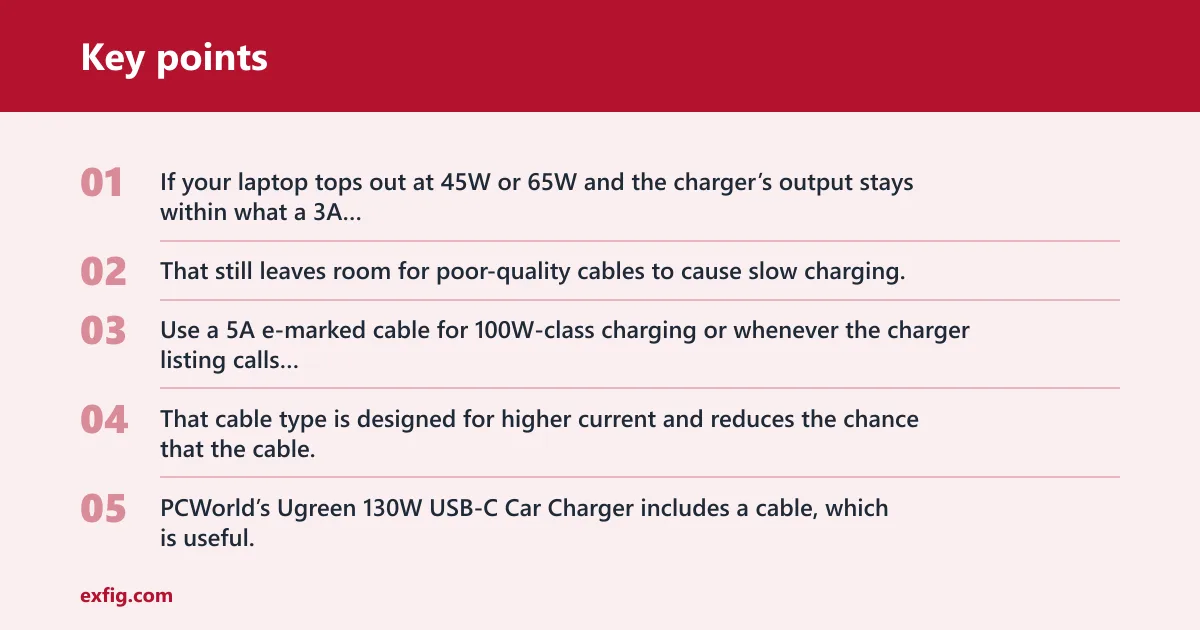
If your laptop tops out at 45W or 65W and the charger’s output stays within what a 3A cable supports, a good USB-C to USB-C cable is enough. That still leaves room for poor-quality cables to cause slow charging, so cable quality matters even when the wattage looks right.
When you need a 5A e-marked cable
Use a 5A e-marked cable for 100W-class charging or whenever the charger listing calls for it. That cable type is designed for higher current and reduces the chance that the cable, not the charger, becomes the limiting factor. PCWorld’s Ugreen 130W USB-C Car Charger includes a cable, which is useful, but you should still check the cable’s rating for your laptop.
Detachable versus integrated cable
An integrated cable is convenient because you do not have to pack a separate one. A detachable cable gives you more control over length and current rating. For laptop charging, the better choice is the cable that matches the charger’s current ceiling and stays short enough to avoid clutter near shifters, vents, and controls.
A common first-timer mistake is buying a 65W charger and then using an old 60W cable with unknown markings. The charger may be fine. The cable may not be. That is how a setup that should work can still charge slowly.
How to choose
- Confirm your laptop’s USB-C charging support in the manual, OEM charger label, or spec sheet.
- Match the charger to the laptop class: 45W for many ultraportables, 65W for many mainstream USB-C laptops, and 100W for more demanding notebooks.
- Check the vehicle input rating and the outlet’s practical headroom before buying a 65W to 100W adapter.
- Prefer USB Power Delivery. Treat PPS as a plus for some phones, not the main laptop filter.
- Use a 3A cable only when the wattage stays within that limit; move to a 5A e-marked cable for higher-current setups.
- If you need two ports, expect some power sharing and lower laptop speed unless the charger has enough total output to spare.
- Look for temperature control and overload protection in small adapters, because heat builds quickly in a car.
Temperature control matters because a small car adapter has less room to shed heat than a wall charger. Overload protection matters because a laptop plus a second device can push the adapter closer to its ceiling than the label suggests. Anker PowerDrive III Duo includes both temperature control and overload protection, which are useful protections even though its per-port output is too low for most laptops.
Buy for the road use case, not just the spec label. If the laptop needs 65W, the vehicle outlet has limited headroom, and you plan to charge a second device, the charger must be able to hold its output without turning the laptop into the weaker share of the setup.
Frequently asked questions
What wattage USB-C car charger do I need for a laptop?
Start with your laptop’s own USB-C input rating. Many ultrabooks and tablets work well at 45W, many mainstream USB-C laptops want 65W, and more demanding notebooks often need 100W. If you plan to share power with a second device, size upward so the laptop does not fall below its normal charging rate.
Can a USB-C car charger actually charge a laptop?
Yes, if the laptop supports USB-C charging and the charger can supply enough USB Power Delivery on one port. The charger also needs the right vehicle input and a cable that can carry the required current. Phone-grade USB-C chargers often fall short even though the connector looks the same.
What is the difference between PD and PPS in a car charger?
USB Power Delivery is the core charging standard for phones, tablets, and many laptops. PPS is a dynamic extension to USB PD that fine-tunes voltage and current for some fast-charging profiles, especially on certain Android phones. For laptops, PD wattage is the main filter; PPS is secondary.
Do I need a 12V or 24V car charger for my laptop?
Match the charger’s input rating to the vehicle system. Many passenger cars use 12V outlets, while some trucks and RVs use 24V systems. A charger listed as 12/24V or 12V-24V gives you broader compatibility, but you should still check the outlet and fuse rating in the owner’s manual.
Should I buy a single-port or dual-port USB-C car charger?
Buy single-port if the laptop is the priority. Dual-port is better only when you also need to charge a second device and you accept slower laptop charging during shared use. A dual-port model with weak per-port output can look versatile and still fail at laptop duty.
Why does a charger with the right wattage still charge my laptop slowly?
The charger may be sharing power with another port, the cable may be current-limited, or the adapter may reduce output as it heats up. The laptop can also limit intake based on its own charging profile. Check the cable rating, the port split, and the charger’s thermal behavior before blaming wattage alone.
What safety features matter in a high-wattage car charger?
Temperature control and overload protection matter most. High-output adapters run hotter in a small enclosure, especially during long drives or when a second device is attached. Also check that the vehicle socket can handle the load safely, and keep the charger and cable clear of airbags and the driver’s view.