USB-A vs USB-C Car Charger: What Is the Difference?

USB-A vs USB-C car charger difference: USB-A uses the older rectangular connector, while USB-C uses the smaller reversible connector; charging speed depends on the port’s power standard and the cable, not shape alone. Choosing the wrong port may lead to slow charging, a cable mismatch, or a charger that may not power tablets and laptops. This guide breaks down port shape, charging protocols, and which charger fits phones, tablets, laptops, and older accessories.
| Decision factor | USB-A | USB-C car charger | Winner |
|---|---|---|---|
| Connector fit | Older rectangular plug; not reversible. | Smaller reversible plug. | USB-C car charger |
| Fast-charging potential | Can charge quickly when the port and device use the same charging protocol. | Can support USB Power Delivery when the charger, cable, and device all match. | USB-C car charger |
| Legacy accessory support | Fits many older cables and devices directly. | Needs the right cable or adapter for older USB-A gear. | USB-A |
| Laptop suitability | Often limited to low-power charging for small electronics. | Better fit for USB-C laptop charging when the charger supports USB-PD. | USB-C car charger |
| Mixed-device convenience | Useful for older phones and accessories. | Useful for newer phones, tablets, and some laptops. | USB-C car charger |
Why port shape isn’t the whole story
USB-A is the older rectangular car-charger port. USB-C is the newer reversible oval port. The useful difference is bigger than shape alone. In a car, the main buying question is whether the charger and cable support the charging standard your device expects.
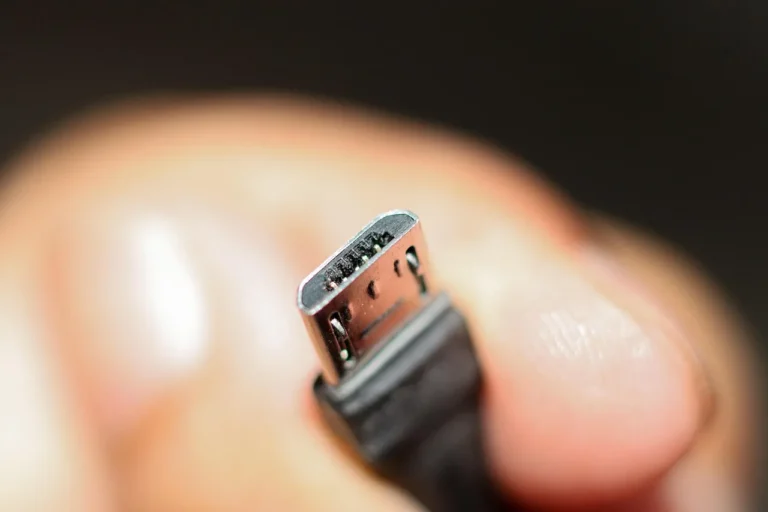
USB-A is the older connector
USB-A ports are often found in older cars and in many budget charger adapters. They work well for phones, dash cams, and accessories that still ship with USB-A cables. USB-A also appears in different data tiers, including USB 2.0 and faster USB 3.0 versions, so the connector alone does not tell you the speed.
USB-C is the newer connector
USB-C is reversible, which makes it easier to plug in while driving or reaching across a cabin. It can carry charging and data, and it can support laptop charging, video output, and faster charging when the charger and device both support those features. USB-C debuted in 2014 and started rolling out in 2015.
Why port shape is only one part of the decision
A car charger can have a USB-C port and still charge slowly. It can also have a USB-A port that charges a phone quickly if the port’s output and the phone’s charging support line up. Shape tells you how the cable fits, while the charging standard tells you what the device can actually draw.
What changes in charging speed?
Charging speed depends on the power standard more than on whether the port is USB-A or USB-C. A USB-C car charger can be slow if it only offers basic output, while a USB-A charger can still fast-charge a device if it supports the right protocol. USB Power Delivery is the main reason USB-C often wins for speed.
USB Power Delivery and fast charging
USB Power Delivery, or USB-PD, is a fast-charging standard with power capacity up to 100 watts in the cited source. That matters for cars because many laptops and some tablets need more power than a basic phone charger can supply. USB-PD only works when the charger, cable, and device all support it.
Why a USB-C port can still charge slowly
Not all USB-C car chargers support USB-PD. Some provide only basic charging, and some are charge-only ports with no data role at all. A USB-C port can still be useful, but the port shape does not guarantee fast charge or laptop support.
Say your phone is plugged in for a short commute. Suppose an Android phone is connected with a USB-C cable in a compact car charger that only provides basic output. The phone may charge, but it may fall back to a slower rate if the charger and phone do not negotiate a fast-charge mode. The plug fits, yet the speed stays modest.
How data speed fits
Most drivers care about charging, not file transfer, but data standards still help explain why one cable or port behaves differently from another. USB 2.0 has a theoretical maximum speed of 480 Mbps. USB 3.0 reaches 5 Gbps, and some USB-A implementations can go up to USB 10 Gbps.
USB 2.0 as the baseline
USB 2.0 is the common low-speed baseline. It can appear on either USB-A or USB-C hardware, so a USB-C shape does not guarantee a faster data path. For charging, that means a cable may fit perfectly while still supporting only modest data performance.
USB 3.0 and USB 5 Gbps
USB 3.0 is a higher-speed tier, and blue USB-A ports are often used as a visual clue, though the color is not a guarantee. Some USB-A ports can support up to USB 10 Gbps in certain implementations. The point is simple: the shape is separate from the data standard.
USB 20 Gbps and USB4 on USB-C only
USB-C can meet the USB 20 Gbps standard. USB4 is only supported with USB-C. That matters most when the same port must handle charging, data, or a dock-style setup in a vehicle, such as for a passenger’s tablet or a laptop connection.
Does the cable change the result?
Yes. The port, the cable, and the device must all agree for full speed or full charging behavior. A car charger may be capable of USB-PD, but if the cable cannot carry that mode, the device may fall back to slower charging. Adapters can help bridge USB-A and USB-C, but they do not add unsupported features.
What happens when standards do not match
If a USB-C phone is connected through the wrong cable or a weak charger, it may still charge at a fallback rate. If a laptop needs USB-PD and the car charger lacks it, the laptop may charge slowly, pause, or refuse to charge under load. That is a protocol mismatch, not a connector problem.
Why adapters are useful but limited
An adapter can let a USB-C cable connect to a USB-A port, or the reverse. It does not turn a basic port into a high-power one. If the charger does not support the needed charging profile, the adapter cannot create it.
A common first-timer mistake is mixing cable types
A common first-timer mistake is buying a USB-C car charger and keeping an old USB-A cable in the glove box. The setup may still work, but only if the cable matches the charger and device. If the cable is missing the right end, the faster port on the charger does nothing useful.
Car charger compatibility matrix
The matrix below shows the usual outcome when the car charger type, device, and cable are aligned in a common way. “Fast charge” means the setup can negotiate a faster charging mode when the device and charger support it. “Likely fallback” means the device may charge, but at a slower rate than its best case.
| Car charger setup | iPhone | Android phone | Tablet | Laptop | Dash cam |
|---|---|---|---|---|---|
| USB-A only | Charge-only or fast charge with the right cable and protocol | Charge-only or fast charge with the right cable and protocol | Likely fallback or slow charge | Likely fallback; usually not enough for meaningful laptop power | Charge-only |
| USB-C only | Fast charge if the charger supports the needed mode; otherwise fallback | Fast charge if the charger supports the needed mode; otherwise fallback | Fast charge on compatible tablets; otherwise fallback | Fast charge only if the charger supports USB-PD and enough wattage | Charge-only |
| Mixed USB-A + USB-C | Use the port that matches the cable and charging need; USB-C often preferred for newer phones | Use USB-C for newer fast-charge support; USB-A for legacy cables | USB-C preferred for higher-power tablets | USB-C port usually preferred for USB-PD laptops | USB-A often easiest for legacy power cables |
USB-A only charger
USB-A only chargers are best when the vehicle mainly powers older cables, dash cams, or spare phone chargers already built around USB-A. They are also the simplest choice if every device in the car already uses USB-A. The trade-off is weaker laptop support and fewer modern high-power options.
USB-C only charger
USB-C only chargers suit newer phones, tablets, and many laptops, especially when USB-PD is available. They are the cleaner pick for a driver who wants one cable standard across the cabin. The catch is that older USB-A accessories may need an adapter or a different cable.
Mixed USB-A and USB-C charger
A mixed charger is often the most practical choice for a family car or a vehicle that handles both old and new gear. One port can serve legacy accessories, while the other can handle newer fast-charge devices. That split reduces cable hunting and keeps the choice open for passengers with different devices.
Choose USB-A if… / Choose USB-C car charger if…
Pick the charger based on what you already own and what you need to power in the car. The right answer depends on cable inventory, device age, and whether you need laptop-level charging or only phone top-offs.
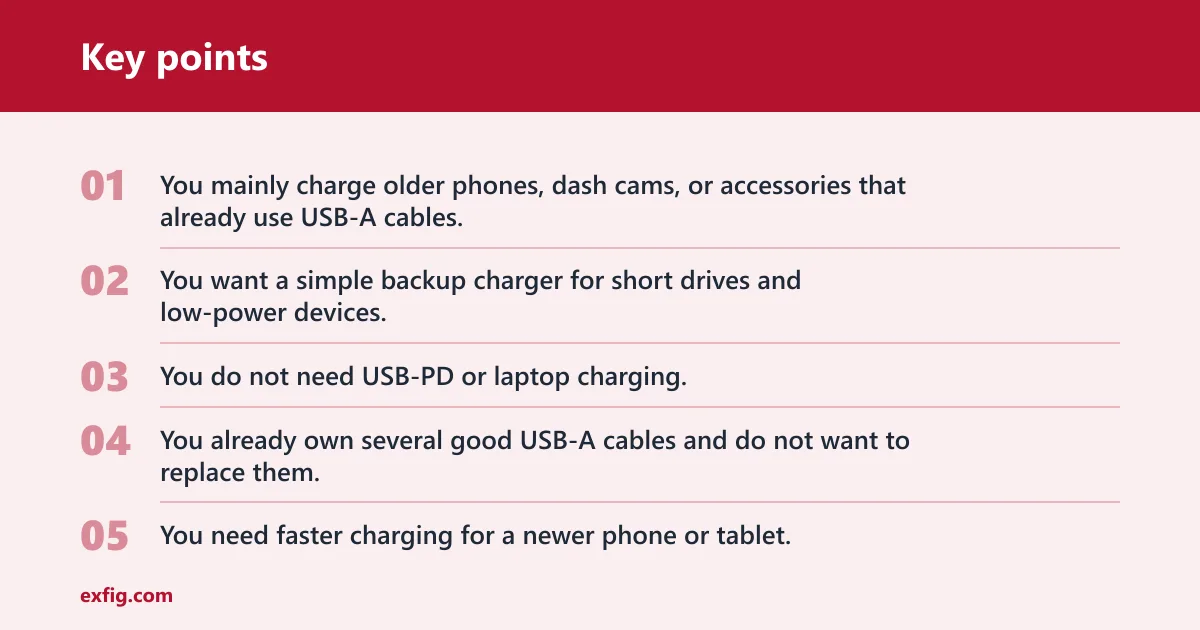
Choose USB-A if…
- You mainly charge older phones, dash cams, or accessories that already use USB-A cables.
- You want a simple backup charger for short drives and low-power devices.
- You do not need USB-PD or laptop charging.
- You already own several good USB-A cables and do not want to replace them.
Choose USB-C car charger if…
- You need faster charging for a newer phone or tablet.
- You want a better chance of charging a laptop in the car.
- You are replacing older cables and want one connector type for newer devices.
- You want the option to use USB-PD, if the charger and device support it.
Choose a mixed charger if…
- Your car needs to support both old USB-A cables and newer USB-C devices.
- Passengers bring mixed phones and tablets.
- You want one charger to cover legacy accessories and modern fast charging.
Can a USB-C port in a car only charge and not transfer data?
Yes. A USB-C port in a car can be charge-only, with no data transfer feature available. USB-C is a connector shape and a capability set, not a promise of every function. For many chargers, charging is the only feature that matters, so data support is left out.
Video output and other USB-C features
USB-C can support video output and higher data rates when the device, cable, and port all support those functions. That is useful for docks and some vehicle setups, but it is not the normal goal of a simple car charger. Most car chargers are built to supply power first.
When USB-C data support matters in a vehicle
Data support matters if the charger is part of a dock, display, or passenger setup that depends on USB-C data transfer. It matters less for a plain phone charging job. For that reason, do not pay extra for data features unless you actually need them.
Frequently asked questions
What is the difference between USB-A and USB-C car chargers?
USB-A uses the older rectangular connector, while USB-C uses the reversible oval connector. The bigger buying difference is not shape alone. Charging speed depends on the port’s protocol, the cable, and the device. A USB-C charger is usually more versatile, but a USB-A charger can still suit older devices well.
Is USB-C faster than USB-A in a car charger?
Often, yes, but not automatically. USB-C can support USB-PD and higher power, which makes it better for many phones, tablets, and laptops. A USB-A charger can still charge quickly if it supports the needed protocol, while a weak USB-C port may charge slowly.
Can I charge a USB-C phone with a USB-A car charger?
Yes, if you use the right cable or adapter and the phone accepts the charger’s output. The phone may charge normally or fall back to a slower rate. The main limit is not the phone’s USB-C port; it is whether the charger and cable can deliver the needed charging mode.
Do USB-C car chargers work with USB-A cables?
Only with the proper cable or adapter. A USB-C port does not accept a USB-A plug directly. Even with an adapter, the charger will only provide the features it actually supports, so a USB-A cable does not create USB-PD or faster data on its own.
Which car charger port is better for a laptop?
USB-C car chargers are usually the better choice for laptops because many laptops charge over USB-C with USB-PD. USB-A is often too limited for meaningful laptop charging. If laptop power is important, look for a USB-C charger and confirm the output profile, cable, and laptop support.
Do all USB-C car chargers support fast charging?
No. USB-C is only the connector shape. Fast charging depends on whether the charger supports USB-PD or another compatible charging standard, and whether the cable and device can use it. Some USB-C car chargers are basic charge-only adapters with no high-power mode.
Bottom line
For most drivers, USB-C car charger is the better pick when newer phones, tablets, or laptops are in the mix. USB-A still makes sense for older cables, dash cams, and simple charging jobs. If your devices span both standards, a mixed USB-A and USB-C charger is the safest buy.
What to buy if you own older USB-A cables
Pick USB-A if you want to keep using those cables with no extra steps. If you also charge newer devices, a mixed charger gives you the easiest upgrade path. That choice avoids replacing everything at once.
What to buy if you own newer USB-C devices
Pick USB-C car charger if you want the best chance of fast charging and better laptop compatibility. Make sure the charger supports USB-PD if you need more than basic phone charging. Also check the cable, because a USB-C plug alone is not enough.
What to buy if you own both
Choose a mixed charger. That gives you one port for older accessories and one port for newer fast-charge devices. In a car, that flexibility usually beats a single-port setup unless every device follows the same standard.