
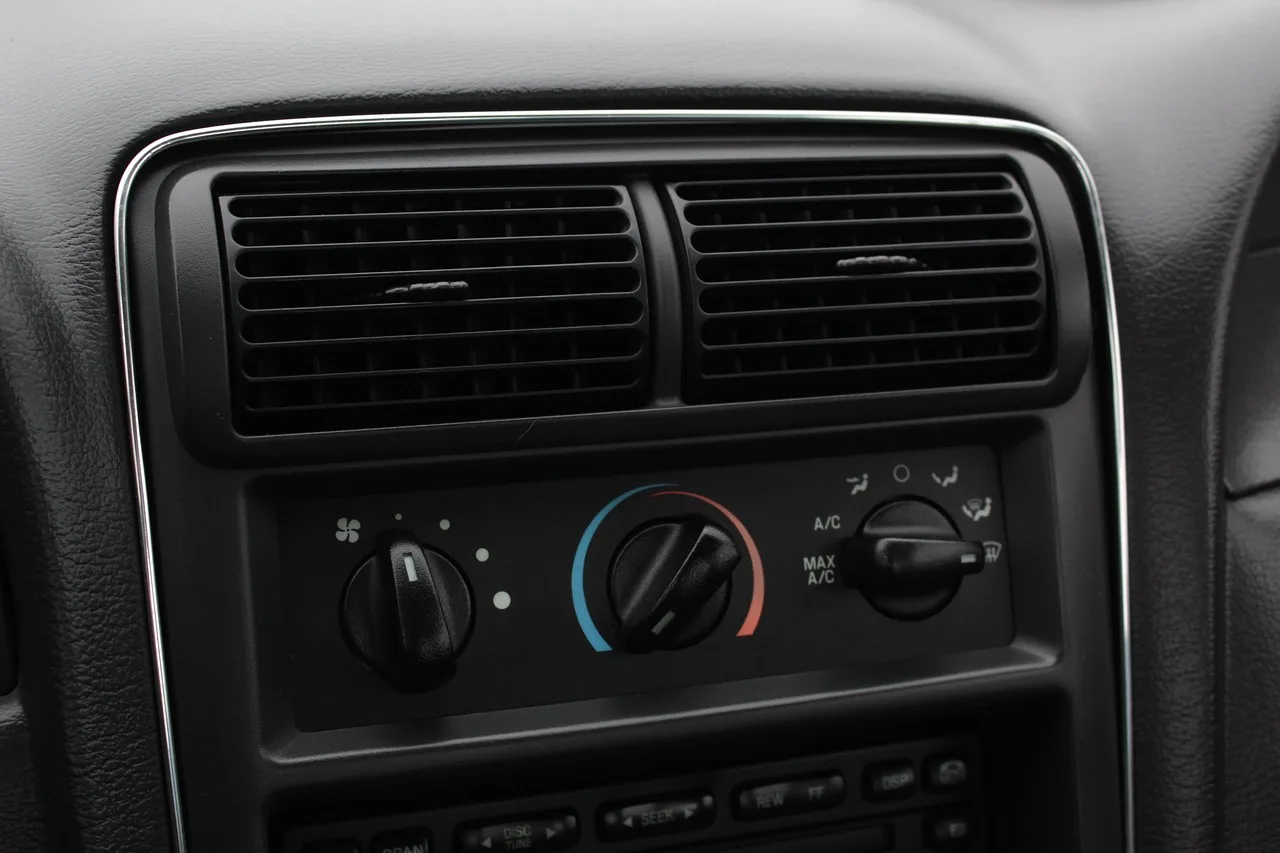
Vent Phone Mounts for Cars: How to Choose

Choose a vent phone mount by checking four things in order: vent geometry, slat strength, loaded phone thickness and weight, then charging and airflow needs; if any one fails, skip that mount. A bad match sags, blocks climate control, drops your phone, or overheats it during charging. This guide maps each vent style and mount type, then shows how to verify fit, stability, heat behavior, and charging compatibility before you buy.
That order matters because air vent mounts clip onto the vent slats, so the vent itself sets the limit before magnet strength, arm design, or charging wattage even matters. In many cars, a vent mount puts the screen near your normal sightline, so quick glances are easier. The trade-off is real: the mount steals air from that vent and can aim hot or cold airflow straight at the phone.
Start with vent fit, not mount type
Many poor vent-mount purchases fail before the phone ever touches the holder. The clip cannot anchor securely, the slat flexes, or the vent shape leaves no stable contact point. “Fits most cars” is too broad to trust on its own.
Why vent geometry decides compatibility first
A magnetic head or clamp cradle matters only after the base can lock onto the vent. A mount that works on one horizontal slat design may rotate or pop loose on another if the slat is shallow, tapered, widely spaced, or weak at the hinge.
Maker compatibility notes matter more than headline claims. Look for notes about horizontal-only use, minimum depth behind the slat, anti-rotation support feet, and exclusions for round or turbine vents. If a listing shows only the phone holder and never the clip shape in profile, treat that as a warning sign.
The five vent layouts that matter most
- Horizontal slat vents: Usually the easiest fit, especially when slats are thick enough to resist sag and there is open space behind them for the hook or clamp to seat.
- Vertical slat vents: Can work, but many mounts twist because the clip was designed to hang from a horizontal edge. Anti-rotation braces matter more here.
- Round vents: Exposed-ring designs sometimes accept special hooks. Turbine-style round vents and tight circular vanes often do not.
- Mesh vents: Honeycomb or fine-grid vents often have no single slat strong enough to support the load. Many mounts will not work at all.
- Wide flat or vehicle-specific vents: Long, low vents with thin trim can look compatible from the front but offer little depth or bite for a clip behind the slat.
What product listings rarely tell you about clip fit
The useful details are usually buried in diagrams or compatibility notes: hook style versus pinch clip, whether the clip tightens with a knob, whether there is a lower support foot, and whether the head can be locked against droop. Those details tell you more than “universal.”
- Identify the vent layout. Look straight at the vent, then from the side. Confirm whether the mount will clip to a single slat, a ring, or a deeper internal vane, because the front view alone can mislead.
- Check the clip profile. Compare your vent depth to the listing photos that show the clip side-on. You need enough room behind the slat for the hook, jaw, or tightening arm to grab without pushing the slat open.
- Read the exclusions. Scan the compatibility notes for round vents, mesh vents, very thin slats, and motorized or hidden vents. If the listing avoids specifics, treat the mount as unverified for unusual interiors.
- Match the support method. Prefer a clip with a stabilizing foot or brace when your vent is vertical, shallow, or flexible. That second contact point often decides whether the mount stays level over bumps.
📊 Car and Driver’s best budget vent mount was iOttie Easy One Touch 5 Vent Mount. Source: Best Car Phone Mounts For 2026, Tested.
Will a vent phone mount fit your vent style?
A vent phone mount fits best on conventional horizontal slat vents with enough depth behind the slat for the clip to lock. Vertical vents can work with the right brace, while round, mesh, and unusual vents are hit-or-miss and sometimes incompatible despite broad “fits most cars” language.
Horizontal slat vents
This is the safest starting point. The clip hangs with gravity instead of fighting it, and many vent mounts are built around this orientation. If the slats are thick and the hinge feels firm, the odds improve further.
What to check:
- Space behind the slat for a hook or tightening jaw
- Enough slat height for the clip to bite without slipping off
- A center vent position that will not cover hazard buttons or climate controls
Vertical slat vents
Vertical vents are generally less forgiving. The mount’s weight can torque the clip sideways, especially with larger phones and heavier cases. A lower brace that rests against the dash face helps stop rotation.
Suppose your vent has narrow vertical blades and the mount head sits off-center. The phone may hold fine while parked, then turn slightly every few miles because the slat hinge is taking a twisting load instead of a straight downward load.
Round, mesh, and unusual vents
Round, mesh or unusual vents may not work at all. Treat them as separate cases, not one category. Some exposed-ring round vents accept a ring-grab design, but turbine-style vents with moving circular vanes often lack a stable anchor. Mesh vents spread force across many small cells and usually give the clip no single solid bar or vane to grab.
Wide flat vents are another trap. They can look sturdy, yet the visible opening may hide a very shallow vane with soft trim around it. A clip may latch at first, then slip as cabin vibration works it loose.
Vehicle-specific vent geometry and maker compatibility notes
Some interiors need a vehicle-specific solution even if the vent itself looks ordinary. Integrated screens, touch panels, and slim decorative vent bars can leave no safe place for a generic clip. In those cases, maker compatibility notes outrank generic category advice.
Check for notes about:
- Horizontal-only or vertical-only vent support
- Restrictions on circular vents
- Required minimum slat depth or thickness if stated
- Need for a stabilizer arm, support foot, or dashboard contact point
- Exclusions for motorized, hidden, or continuous full-width vents
Can your vent slats support your phone and case?
Vent slats support a mount only when the slat itself is thick enough, the hinge is stiff enough, and there is enough structure behind the vent for the clip to bite. Heavy phones can make thin slats sag, and a heavy case makes the problem worse.
How to judge slat thickness, stiffness, and hinge strength
Use your fingers before you shop. Gently move a vent slat through its range. If it feels loose, springy, or easy to twist off-axis, expect problems with any mount that carries a large phone or a charging puck.
You are checking four things:
- Slat thickness: Thicker slats usually resist clip pressure better.
- Hinge stiffness: A slat that droops under light finger pressure is already near its limit.
- Depth behind the slat: Shallow vents give the clip less to hold.
- Frame support: Slats anchored close to a rigid frame handle load better than long free-floating vanes.
Why heavy phones sag on thin or shallow slats
The mount creates extra force at the vent. The farther the phone sits from the vent face, the more twisting load the slat must resist. Charging heads, cooling fans, and motorized clamp arms all add mass before the phone is even attached.
Say your phone is in a thick rugged case and the mount includes wireless charging hardware. Even if the clip locks, the combined load can pull the top of a thin slat downward until the screen points at your lap instead of the road.
Fragile vents in older cars and soft-touch interiors
Older cars often have brittle plastic vanes or looser vent pivots. Soft-touch trim around the vent can also compress, which makes a support foot less effective and leaves marks. If the vent feels fragile now, repeated clipping and unclipping will not help.
Skip a vent mount sooner in these cases. A dashboard, windshield, cup holder, or CD slot mount may be a better long-term choice if the vent is already delicate.
Vent fit decision table
| Vent shape | Slat strength | Phone/case profile | Recommended mount type | Red flag |
|---|---|---|---|---|
| Horizontal slats with open depth behind vane | Medium to strong; hinge resists droop | Thin case or magnetic case; average-weight phone | Magnetic vent mount, including MagSafe or Qi2-compatible puck if charging is needed | If the phone uses a metal plate that blocks wireless charging, skip charging models |
| Horizontal slats with open depth behind vane | Strong slats and firm frame | Thick rugged case, wallet case, or heavy phone | Clamp-style vent mount with support foot; spring-loaded or motorized arms if grip range fits | Heavy phone plus thin slats often leads to sag |
| Vertical slats | Medium strength; twist resistance limited | Average phone with light case | Clamp or magnetic mount only if the clip has an anti-rotation brace | Off-center mount heads can rotate on vertical vents |
| Round vent with exposed outer ring | Varies; ring may be stronger than inner vanes | Light to average phone | Only a mount that specifically states round-vent compatibility | Turbine-style round vents are often incompatible |
| Mesh or honeycomb vent | Usually poor single-point support | Any phone, especially heavy or thick-case setups | Skip vent mounting; use dashboard, windshield, cup holder, or adhesive alternative | Mesh openings often provide no reliable clip point |
| Wide flat vent with shallow vanes | Looks rigid from front, often shallow in profile | Charging mount or heavy phone | Low-profile clamp only if maker notes confirm fit; otherwise choose non-vent mount | Shallow depth behind slat causes slip |
| Any heater-facing vent used in winter | Any | Phone used for navigation plus wireless charging | Prefer non-vent mount or vent position you can close or redirect away from the phone | Heater output can raise phone temperature and slow charging |
Should you choose magnetic or clamp-style?
Choose magnetic when your vent can support the load and your phone or case has reliable magnetic alignment. Choose clamp-style when fit range and mechanical grip matter more than quick attachment, especially with thick cases, non-magnetic phones, and heavier devices.
Magnetic mounts: MagSafe, Qi2, rings, and hold strength
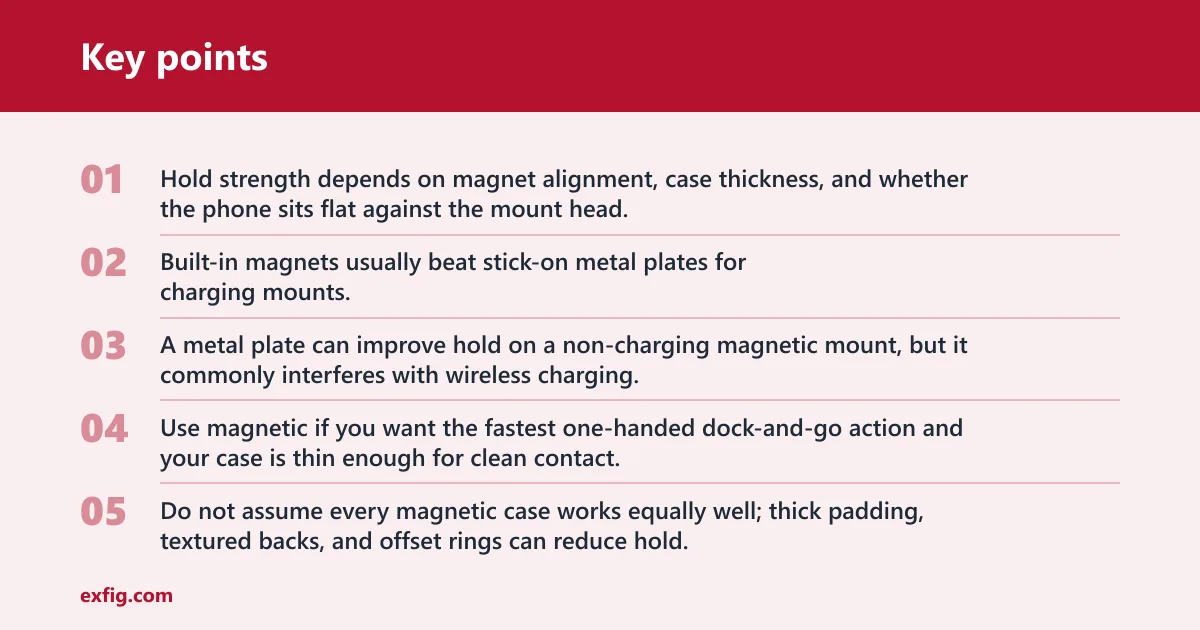
Magnetic systems work best when the phone or case has built-in magnets aligned to the charging coil, such as MagSafe or a Qi2-ready magnetic layout. Hold strength depends on magnet alignment, case thickness, and whether the phone sits flat against the mount head.
Built-in magnets usually beat stick-on metal plates for charging mounts. A metal plate can improve hold on a non-charging magnetic mount, but it commonly interferes with wireless charging. Magnetic rings are a middle ground for phones without native magnets, though ring placement must match the charging coil area.
Use magnetic if you want the fastest one-handed dock-and-go action and your case is thin enough for clean contact. Do not assume every magnetic case works equally well; thick padding, textured backs, and offset rings can reduce hold.
Clamp mounts: spring-loaded, motorized, and one-hand use
Clamp mounts fit almost any phone when the arm width range is wide enough. Spring-loaded arms are simple and usually lighter. Motorized arms can feel convenient for one-handed operation, but they add weight and thickness to the mount head.
Clamp-style designs handle thick rugged cases, odd-shaped cases, and phones without magnets better than magnetic pucks do. They also avoid the alignment problem that can make magnetic charging finicky through bulky cases or with large camera bumps.
Which style handles thick cases and heavy phones better?
Clamp mounts often come out ahead in this comparison. A mechanical grip can hold a thick case even when the back material is slick or the camera bump pushes the phone away from a magnetic surface. The trade-off is a bulkier head and more airflow blockage.
If the case is thin and magnetic, a magnetic mount is often cleaner and faster. If your case is thick, has a wallet flap, or uses an accessory plate, start by assuming clamp-style is the safer fit.
What if you want wireless charging too?
Wireless charging narrows your choices because fit and alignment now matter as much as grip. Charging speed depends on both the mount and the phone model, and case thickness, camera bump height, and magnet position can turn a secure holder into a slow or inconsistent charger.
7.5W, 15W, 25W, and Qi2.2 compatibility checks
Do not treat “wireless charging” as one feature. Some mounts support about 7.5W, 15W, or 25W, and the phone has to support the same charging profile to benefit. Qi2 alignment helps, but support still depends on the phone model.
Specific examples in current listings show how much this varies. Belkin BoostCharge Magnetic Wireless Charging Car Vent Mount supports up to 15W. Anker Prime Wireless Car Charger supports up to 25W. iOttie Velox Pro Qi2.2 includes a 45W USB-C car charger.
Those numbers do not mean every phone will charge at the top figure. They show the mount’s side of the equation. Your phone’s charging standard, the vehicle power adapter, and cable support still have to match.
Case thickness, camera bumps, and charging alignment
Wireless charging through a case depends on case thickness and how flat the phone can sit on the charging surface. Thick rugged cases, wallet cases, and some ring attachments create enough stand-off to reduce charging speed or stop charging entirely.
Camera bumps matter too. If the bump contacts the mount first, the charging coil may sit slightly off-center. That can produce intermittent charging, extra heat, or a slow charge that barely offsets navigation power draw.
When active cooling matters for charging mounts
Cooling features matter most when the phone is charging wirelessly, running navigation, and sitting in a warm cabin. Fan cooling can help move heat away from the back of the phone. Thermoelectric cooling goes further, though it adds cost, noise, and weight.
Picture a sunny commute where the cabin warms before the AC catches up. Add screen brightness, maps, and wireless charging, and the phone may reduce charging speed to protect itself. In that case, a cooler mounting point or a charging mount with active cooling makes more sense than a basic vent clip.
How much airflow and heat trade-off is acceptable?
The acceptable trade-off depends on whether you value screen visibility more than unrestricted airflow, and whether the vent blows heat or AC directly at the phone. Vent mounts block part of the airflow, which can change cabin comfort and can also change phone temperature during navigation and charging.
Blocked airflow versus screen visibility
Vent mounts sit close to eye level in many cars, which is one reason people like them. The cost is direct airflow loss at that vent. The larger the cradle, the more air it diverts away from you or your passenger.
That trade-off is usually acceptable on a center vent with several neighboring vents. It is harder to accept when the vehicle has only two front vents or relies on a specific vent for fast defogging or driver comfort.
Heater-facing vents, AC output, and phone temperature
Heat is the bigger problem. A phone sitting in front of a heater vent can warm quickly, especially while charging. As temperature rises, phones may slow charging or limit performance to protect the battery.
AC airflow can help offset charging heat, but only up to a point. Very cold air is not a perfect solution either, because blocking the vent still reduces cabin airflow where you may want it most.
A common first-timer mistake is putting a charging mount on the strongest winter vent, then leaving cabin heat aimed straight at the phone. The phone stays secure, but charging slows and the screen may dim because thermal protection is doing its job.
How charging, navigation, and sun load compound heat
Heat problems add up. Wireless charging generates heat. Navigation keeps the display on. A sunlit dash raises ambient temperature. If the vent is also delivering warm air, the phone has little room left to shed heat.
That is why a vent mount is not automatically the coolest option. In summer, a shaded center vent with moderate AC can help. In winter, the same spot can become the worst place in the cabin for a charging phone.
Where should you place a vent phone holder?
Place a vent phone holder where you can glance at it without blocking warning lights, climate controls, or touch-screen access, and where the vent itself can still do its job. Center vents often work best, but side vents can be better when airbags or controls crowd the middle.
Best vent positions for visibility and reach
The best position is usually high enough for a quick glance and close enough for one-handed docking without stretching. Center vents often keep the phone near the natural line between the road and the infotainment screen.
Side vents can be fine if the center stack is busy or if a center mount would cover a hazard switch, gear display, or HVAC screen. Keep the phone out of the driver’s direct line of sight, and check local laws on phone mounting and hands-free use.
Areas to avoid: airbags, warning lights, and climate controls
Avoid any position that blocks warning lamps, front camera views, touch controls, or vents needed for windshield clearing. Also avoid airbag deployment paths. A mount that feels convenient while parked may be unsafe when the cabin systems or safety equipment need clear space.
When center vents beat side vents and when they do not
Center vents beat side vents when you want balanced reach and a shorter glance away from the road. Side vents can beat center vents when the car uses the center area for full-width screens, delicate trim, or climate functions you adjust often.
If the phone blocks the vent you rely on most for comfort, the fit is wrong even if the clip itself is solid.
When should you skip a vent mount entirely?
Skip a vent mount when the vent is round, mesh, shallow, fragile, or badly placed for heat and visibility. Also skip it when a heavy phone or charging setup would overload the slats, or when your interior offers a safer, cleaner dashboard, windshield, cup holder, or CD-slot option.
Dashboard and windshield options
Dashboard and windshield mounts remove load from the vent and eliminate airflow blockage. They need a smooth flat surface for adhesive pads or a suitable glass area for suction. In hot sun, adhesive and suction performance can change, and the phone may sit in warmer air than it would near an AC vent.
Cup holder and CD slot mounts
Cup holder mounts work well when the dash has no good flat area and the vents are weak. The downside is a longer glance downward. CD slot mounts can be stable in older vehicles with a disc slot, but they obviously require that slot to exist and remain unused.
Adhesive versus suction on your interior surfaces
Adhesive mounts suit textured dashboards better when the maker includes a proper base pad. Suction mounts prefer smooth, clean surfaces or glass. If your dash material is soft-touch or heavily grained, assume suction alone may be inconsistent unless the listing specifies a compatible pad.
For product-shopping context, Car and Driver rated the Belkin Universal Car Mount as best overall, the Vanmass Phone Mount easiest to use, ESR Wireless-Charging Vent Mount best value among vent mounts, and iOttie Easy One Touch 5 Vent Mount the best budget vent mount. Retail prices also vary: Walmart lists an iOttie MagSafe Compatible Velox Magnetic Air Vent Phone Holder at $24.95, while Walmart lists an iOttie Easy One Touch 5 Air Vent Mount at $20.24. Those examples are useful for feature framing, but the correct buy still depends on vent fit first.
Frequently asked questions
What vent phone mount works best for horizontal vents?
Horizontal slat vents usually work best with either a magnetic mount for thin magnetic cases or a clamp-style mount for thicker cases and heavier phones. The deciding factor is still slat strength and depth behind the vane, not the product’s “universal” claim.
Will a vent phone mount fit vertical or round car vents?
Vertical vents can work if the mount has an anti-rotation brace or support foot, but round vents are far less predictable. Exposed-ring round vents sometimes fit special clips; turbine-style or mesh-like vents often do not. Check maker notes before treating either layout as compatible.
Can a vent phone mount hold a phone with a thick case?
Yes, but clamp-style mounts usually handle thick cases better than magnetic pucks do. Thick rugged and wallet cases can weaken magnetic hold and disrupt charging alignment. Make sure the clamp’s grip range matches the loaded phone width and that the vent slats can support the extra weight.
Should I choose a magnetic vent mount or a clamp mount?
Choose magnetic for quick one-handed docking when your phone or case has well-aligned built-in magnets. Choose clamp-style when you have a thicker case, a non-magnetic phone, or a heavier device. If vent strength is borderline, the lighter mount head often has the advantage.
How do I keep a vent mount from blocking airflow?
Use the smallest mount head that still fits your phone, place it on a vent with neighboring vents available, and avoid oversized charging cradles unless you need them. If airflow from that vent matters for comfort or defogging, move to another vent or another mounting point.
Which vent mount is best for my car if the vents are unusual or fragile?
For unusual or fragile vents, the best vent mount is often no vent mount at all. Round turbine vents, mesh vents, shallow full-width vents, and older brittle slats are better matched with dashboard, windshield, cup holder, or CD-slot mounts that do not stress the vent assembly.