Bluetooth OBD2 Scanners: How They Work and What to Buy

Buy BLE for iPhone, and BLE or classic Bluetooth for Android, then make sure the adapter supports your car and your app. Choose wrong, and the dongle may not pair, may read only generic engine codes, or may drop the connection mid-scan. This guide explains the vehicle protocol, Bluetooth link, and app, where cheap ELM327 clones fail, and what to buy for your phone and diagnostic goals.
What a Bluetooth OBD2 scanner actually
Adapter, app, and vehicle
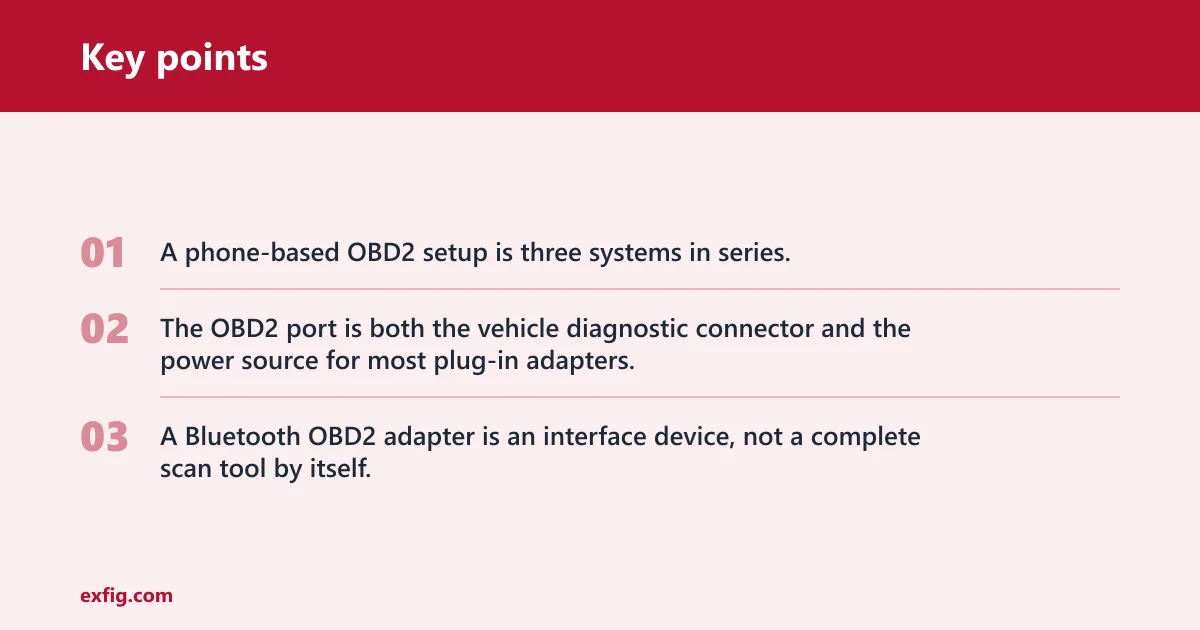
A phone-based OBD2 setup is three systems in series. The car exposes diagnostic data through the OBD2 port, the adapter translates that data and sends it over Bluetooth, and the scan tool app turns raw responses into codes, gauges, graphs, and logs.
That chain matters because a failure at any point can look the same from the driver’s seat. An adapter can light up because the OBD2 port powers it, yet still fail to talk to the vehicle, fail to stay connected over Bluetooth, or connect fine while the app lacks the right commands and module support.
The OBD2 port is both the vehicle diagnostic connector and the power source for most plug-in adapters. If the port has power but the ignition state is wrong, the ECU is asleep, or the adapter firmware is poor, the dongle still looks alive even though no useful data reaches the phone.
Bluetooth OBD2 adapter vs dedicated scan tool
A Bluetooth OBD2 adapter is an interface device, not a complete scan tool by itself. It moves commands and replies between the car and the phone.
The app supplies most of the visible functions: reading and clearing diagnostic trouble codes, selecting modules, requesting live data PIDs, graphing sensors, saving logs, and sometimes adding custom PID support. A dedicated handheld scan tool combines hardware and software in one device, which usually means fewer pairing problems and more predictable support.
What the adapter can and cannot do by itself
By itself, the dongle cannot show codes on a screen, label sensor values, or decide which manufacturer-specific functions your vehicle supports. It needs an app, and that app needs working communication through the adapter and into the vehicle network.
That is why the box claim matters less than the whole chain. A cheap adapter paired with a weak app often feels worse than a better adapter running the right paid app, even if both say ELM327 on the label.
How does a Bluetooth OBD2 scanner work?
The scanner works by carrying requests from your phone app to the car’s ECUs through the OBD2 port, then sending the replies back over Bluetooth for decoding on the phone. Most real problems start in one of three places: incomplete vehicle protocol support, unstable Bluetooth behavior, or poor app compatibility.
The data path from ECU to phone screen
The full path is simple once it is split into stages. The app asks for a code or PID, the adapter chipset converts that request into an OBD command the vehicle understands, the ECU replies through the OBD2 port, and the adapter sends that reply back to the app over Bluetooth.
In practice, the phone and dongle are usually only a few feet apart, so radio range is rarely the bottleneck. The real limit is often the adapter’s ability to translate OBD requests correctly and quickly across protocols such as CAN, ISO 9141-2, ISO 14230-4, or SAE J1850, and the app’s ability to process the reply without stalling.
Why the OBD2 port can power an adapter but still fail to connect
The adapter gets power from the vehicle port first. Data communication is separate.
If the ignition is off, some modules may not respond. If a fuse for the diagnostic line is blown, power may still be present while communication fails. If the car exposes only the federally required emissions side through standard OBD2 requests, a low-end app may connect yet show little beyond engine-related functions.
Suppose the adapter LED turns on the moment it is plugged in, but the app sits at “connecting to ECU.” That usually means the phone-to-adapter link is alive while the adapter-to-vehicle link is not. The fix is rarely more Bluetooth range, it is usually ignition state, protocol negotiation, or clone firmware.
Where latency, dropouts, and bad readings start
Live data depends on command timing, adapter buffering, Bluetooth stability, and app efficiency. PID streaming feels smooth when those pieces line up, and broken when the adapter stalls between requests or the app polls too many sensors at once.
Cheap clones often show their weaknesses first during live data. They may connect for code reading, then become slow, freeze, or return partial data when the app starts graphing multiple PIDs.
Using a Bluetooth OBD2 scanner on Android
This guide shows the practical Android workflow for getting a Bluetooth OBD2 scanner connected and useful: plug the adapter into the vehicle, pair it in Android Bluetooth settings when required, open a compatible app, and start reading trouble codes and live data with the ignition on. It also explains why many adapters need Classic Bluetooth instead of Bluetooth LE, which is a common reason an otherwise “working” scanner never appears in the app. For a step-by-step setup path, see Bluetooth OBD2 setup.
That matters because most connection problems are not car problems at all; they come from skipped pairing steps, the wrong app, or using the wrong Bluetooth type.
Will a Bluetooth OBD2 scanner work with your car?
It will work only if your vehicle supports the needed OBD2 protocols and the adapter handles them cleanly. In North America, many 1996-and-newer gasoline light-duty cars and trucks, and many 1996-and-newer diesel light-duty vehicles under 8,500 pounds GVWR, were built to the OBD-II baseline, but that still does not guarantee access to every module, every brand-specific code, or every service function.
OBD-II coverage by model year and region
For many buyers, a common first check is whether the vehicle meets the local OBD2 baseline. In North America, the common cutoff is 1996-and-newer light-duty vehicles. Other regions adopted comparable emissions diagnostics on different timelines, so model year alone is less reliable on imported cars and older vehicles.
Even when a car is OBD2-compliant, the guaranteed portion is the emissions-related side of diagnostics. That usually covers generic powertrain trouble codes and standard live data, not full dealer-level access across every system.
Generic OBD2 data vs brand-specific modules
Generic OBD2 usually covers the jobs tied to a check engine light: reading and clearing standard powertrain codes such as P0xxx, checking readiness monitors, and viewing common emissions-related PIDs like engine coolant temperature, short- and long-term fuel trim, oxygen sensor data, calculated load, and vehicle speed. It is often not enough for ABS, airbag, body, immobilizer, advanced transmission functions, or service resets. Those need stronger app support, better adapter compatibility, or both.
A common first-timer mistake is assuming “reads codes” means “reads every code on the car.” On many vehicles, a generic adapter with a free app will clear a P0 engine fault but still miss ABS and SRS faults because the app never reaches those modules.
Vehicle compatibility risks that cheap adapters expose first
Cheap adapters tend to fail at the edges: slower protocol initialization, missing command support, poor sleep behavior, and inconsistent handling of vehicles that are less forgiving during startup. A better chipset often matters more on older cars, hybrids, and vehicles with picky communication timing.
ELM327-class adapters are the most common generic family, but quality varies widely because many are clones with different firmware. Two dongles with the same label can behave differently on the same car.
Why phone and app support matter more than the box
iPhone vs Android: classic Bluetooth and BLE limits
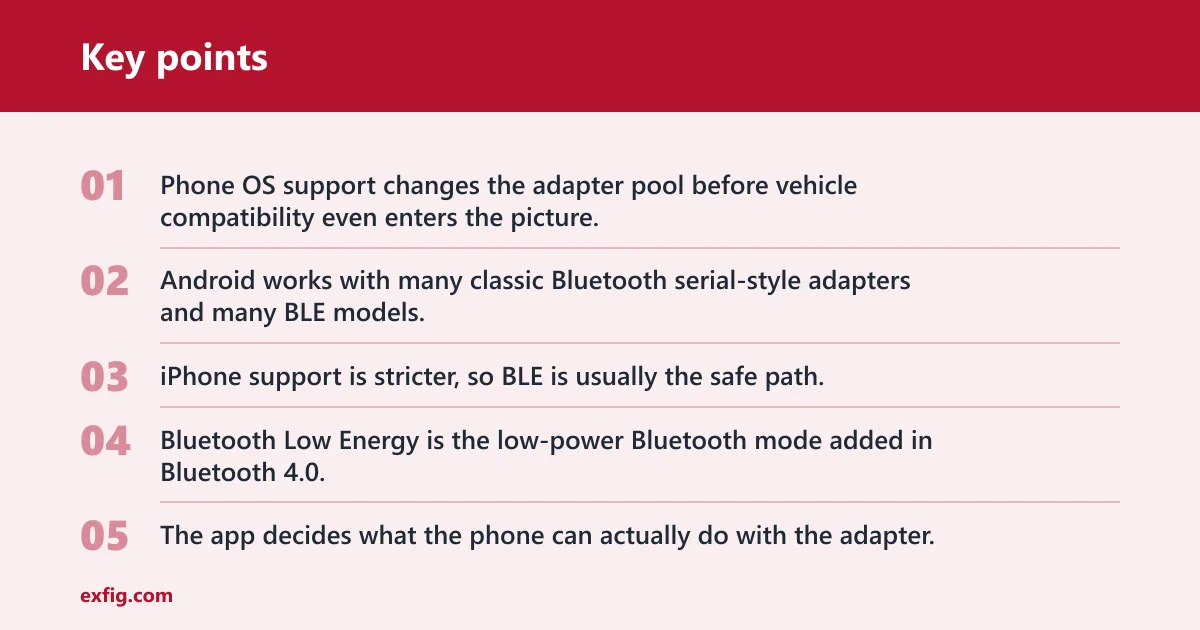
Phone OS support changes the adapter pool before vehicle compatibility even enters the picture. Android works with many classic Bluetooth serial-style adapters and many BLE models. iPhone support is stricter, so BLE is usually the safe path.
Bluetooth Low Energy is the low-power Bluetooth mode added in Bluetooth 4.0. That matters here because many iPhone-friendly dongles use BLE rather than the older classic Bluetooth serial profile that shows up in many bargain Android-focused adapters.
Say your phone is an iPhone and the cheap adapter listing says only “Bluetooth 5.0 ELM327” with no mention of BLE support in the app. That version badge alone does not help if the hardware and app still rely on an Android-style classic Bluetooth workflow.
Scan tool app dependency: free vs paid apps
The app decides what the phone can actually do with the adapter. Free apps are often fine for reading and clearing generic engine codes. Paid apps usually do better with manufacturer-specific modules, dashboard customization, graphing, logging, and custom PID support.
App dependency matters in two ways. First, some adapters are sold to work best with a specific app, which can cut setup friction. Second, some generic adapters work only as well as the app’s ELM command handling, so a weak app can make a decent adapter look bad.
Live data, graphing, logging, and custom PID support
For live data, app quality shows up in refresh rate, graph readability, logging controls, and how many PIDs can be polled before the display lags. Better apps usually let users trim the PID list, which often improves speed more than chasing a newer Bluetooth version.
Bluetooth is also marketed as a low-power link for tiny sensors, but that design goal does not guarantee fast OBD polling. The adapter chipset and firmware still decide how quickly OBD commands move through the chain.
Are cheap Bluetooth OBD2 scanners any good?
They can be good enough for occasional check engine code reading on a compatible car, especially on Android, but they are the most likely to fail in annoying ways. The common weak points are clone firmware, unstable pairing, slow live data, poor sleep behavior, and uneven app compatibility.
ELM327-class adapters and the clone problem
ELM327-class adapters dominate the low end. Some work well enough. Many do not.
The problem is not the idea of an ELM327-style interpreter. The problem is clone variation. Firmware may omit commands, misreport version numbers, fail to sleep properly, or crash under heavier PID streaming. That is why one generic adapter can read a basic code on Monday and refuse to reconnect on Friday after sitting in the port.
STN2120 and other higher-end chipset options
STN2120 is a higher-end OBD interpreter family often used in premium Bluetooth scanners. Compared with many generic clones, it is generally faster, more compatible, and less likely to stumble on edge-case commands or startup timing.
That does not mean every premium adapter uses the same radio or the same app model. It does mean buyers who care about repeatable performance should pay attention to chipset family, not only to Bluetooth version numbers and packaging claims.
What you actually gain by paying more
Paying more usually buys cleaner firmware, better sleep and wake behavior, faster startup, steadier live-data sessions, clearer app guidance, and more predictable phone support. Those are the exact points where low-cost adapters waste time.
For a driver who scans once a year, the cheapest acceptable option may be fine. For repeated diagnostics, a stronger chipset and a known-good app are worth more than a bargain dongle that must be unplugged, re-paired, and rebooted every few uses.
Bluetooth versions and chipset claims that affect buying
Bluetooth 4.0 and the arrival of Bluetooth Low Energy
Bluetooth 4.0 introduced Bluetooth Low Energy as a separate radio technology. For OBD2 buyers, that matters mainly because BLE opened the door to more iPhone-friendly adapters and lower standby power.
BLE and classic Bluetooth are different enough that setup and app support can change even when the product listing simply says “Bluetooth.” A clear adapter listing should tell buyers which mode it uses and which phone OS it supports.
What Bluetooth 5.0 changes and what it does not
Bluetooth 5.0 offered a choice of higher speed or longer range PHY options, and it also offered a long-range PHY. Those are real platform changes, but they do not guarantee faster OBD scanning because OBD throughput is often limited by chipset translation, ECU response time, and app polling strategy.
Version badges above that, including Bluetooth 5.1 Direction Finding, Bluetooth 5.2 LE Audio foundations, Bluetooth 6.0 Channel Sounding, and Bluetooth 6.3 as the current Core release, do not tell an OBD2 buyer much on their own. For this category, phone compatibility, firmware quality, and app support still decide the result.
Why version labels matter less than firmware, sleep behavior, and app support
A stable BLE 4.0 adapter with good firmware can be a better buy than a vague “Bluetooth 5.x” clone with poor command support. Startup speed, automatic sleep, wake reliability, and app integration affect daily use more directly.
Picture a dongle left plugged into a commuter car for a week. If it lacks proper sleep behavior, the low purchase price stops mattering quickly. If it wakes badly, the next scan session starts with deleting pairings and cycling the ignition.
OBD2 adapter buyer matrix
How the matrix scores the four user scenarios
The matrix below uses a 1 to 5 score for four common scenarios: basic code reading, live data, iPhone use, and reliability-focused use. Higher scores reflect fewer setup headaches and better odds of stable, repeatable scans.
Buyer matrix decision table
| Adapter profile | Chipset family | Bluetooth version / mode | App dependency | Vehicle compatibility risk | Connection stability | Startup speed | Basic code reading | Live data | iPhone use | Reliability-focused use | Best-fit user type |
|---|---|---|---|---|---|---|---|---|---|---|---|
| Ultra-cheap classic clone | ELM327-class clone | Classic Bluetooth, vague version | High; app must tolerate clone quirks | High | Low | Slow | 3/5 | 1/5 | 1/5 | 1/5 | Android-only bargain hunter for occasional CEL checks |
| Cheap BLE clone | ELM327-class clone | BLE 4.0-class | High; app support varies | High | Low to medium | Slow | 3/5 | 2/5 | 3/5 | 2/5 | iPhone owner chasing the lowest price |
| Mid-grade generic BLE | ELM327-class, better firmware | BLE 4.0 or 5.0 | Medium; works with several apps | Medium | Medium | Medium | 4/5 | 3/5 | 4/5 | 3/5 | Casual user on iPhone or Android |
| Mid-grade classic Android adapter | ELM327-class, better firmware | Classic Bluetooth 4.x/5.x stack | Medium; strongest with Android apps | Medium | Medium | Medium | 4/5 | 3/5 | 1/5 | 3/5 | Android user wanting low cost with fewer clone issues |
| Named-app BLE adapter | ELM327-class or proprietary | BLE 4.0 or 5.0 | Medium to low; tuned for one app | Medium to low | Medium to high | Fast | 4/5 | 4/5 | 5/5 | 4/5 | iPhone user who wants easy setup |
| STN2120 BLE adapter | STN2120 | BLE 4.0/5.0 class | Low; broad app support is common | Low | High | Fast | 5/5 | 5/5 | 5/5 | 5/5 | Frequent scanner user who wants fewer surprises |
| STN2120 dual-platform adapter | STN2120 | BLE plus wider phone support | Low | Low | High | Fast | 5/5 | 5/5 | 5/5 | 5/5 | Household with mixed iPhone and Android use |
| Premium app-locked adapter | Proprietary or STN-based | BLE 5.0-class | Low inside the supported app, high outside it | Low | High | Fast | 5/5 | 4/5 | 5/5 | 5/5 | User who values turnkey setup over app freedom |
What the matrix shows
The pattern is simple. Basic code reading tolerates cheaper hardware better than live data does. iPhone use strongly favors BLE and clear app support. Reliability-focused use points away from bargain clones and toward STN2120-class or other premium designs.
What should you buy for your use case?
Buy by failure tolerance, not by the biggest version number on the listing. For rare check engine scans, a mid-grade generic adapter can work. For live data and repeat use, move up to a better firmware tier or an STN2120-class adapter. For iPhone, pick BLE first and confirm app support before buying.
Best fit for basic code reading and clearing
The cheapest acceptable option is a mid-grade generic adapter with clear phone compatibility and a known app list. Avoid the absolute bottom tier unless the goal is Android-only, occasional engine-code checks, and some setup friction is acceptable.
These adapters can usually read and clear check engine codes. They may not do much beyond that, especially with free apps and vehicles that hide more useful functions behind manufacturer-specific commands.
Best fit for live data and frequent diagnostics
For frequent use, faster startup and steadier PID streaming matter more than saving a small amount upfront. A better generic BLE unit can work, but the safer step is an STN2120-class adapter paired with a reputable app that supports graphing and logging.
That combination is where live data becomes genuinely usable instead of merely possible.
Best fit for iPhone users
For iPhone, start with BLE and verify that the app explicitly supports that adapter. Avoid listings that mention only Android pairing, only classic Bluetooth, or only a generic “works with ELM apps” line without naming any iPhone-compatible app.
When the setup path is unclear, the support burden lands on the buyer.
What to buy instead of a generic reader when reliability matters
When reliability matters, buy a premium adapter built around an STN2120-class chipset or a well-supported proprietary design with a strong companion app. That is the best path for drivers who scan multiple cars, leave the adapter plugged in, or depend on live data during diagnosis.
- Check phone support first. Match the adapter to the phone OS before looking at anything else. On iPhone, prefer BLE; on Android, BLE or classic Bluetooth can work if the app supports it.
- Confirm app compatibility. Read the adapter listing for named apps or supported platforms. If the app is weak, even good hardware feels limited.
- Match the job scope. For generic engine codes, a mid-grade adapter is often enough. For live graphs, logs, or more module access, move up a tier.
- Favor known chipsets. Pick STN2120-class or a reputable named design when repeatable performance matters. Clone-heavy bargain tiers carry the most risk.
- Check sleep behavior. Look for automatic sleep or low standby draw in the product details. That reduces battery-drain headaches if the adapter stays plugged in.
Why won’t your Bluetooth OBD2 scanner connect?
The usual causes are simple but easy to mix up: the adapter has power but the vehicle side is not responding, the phone is using the wrong pairing method, the adapter uses the wrong Bluetooth mode for the phone, or the firmware is a weak clone that fails during startup or wake-up.
Power, ignition state, and OBD2 port issues
Start with the car, not the phone. The adapter needs port power, but the ECU also needs to be awake enough to answer. Key position matters on many vehicles, and some apps connect best with the engine off but ignition on.
A powered LED does not prove data communication. The port can energize the dongle while a fuse, line issue, or vehicle-side communication problem blocks the scan.
Pairing mistakes and app connection mode problems
Some adapters should be paired in phone settings first. Others are meant to connect only from inside the app. Mixing those methods causes a surprising number of failures.
Suppose an Android user pairs a classic Bluetooth adapter in system settings, then opens an app still set to BLE mode. The phone sees the dongle, but the app never starts a session because it is looking for the wrong transport.
Adapter sleep, clone firmware, and phone OS conflicts
Cheap clones often fail after sleep, after a phone OS update, or after switching between apps. Rebooting sometimes helps, but recurring failures usually mean the adapter is the weak point.
- Turn ignition on. Put the vehicle in the ignition state recommended by the app, usually key-on engine-off to start. This wakes the ECU without adding vibration or charging-voltage noise from cranking.
- Confirm port power. Plug in the adapter and check for its power light. If there is no power, inspect the vehicle’s diagnostic-port fuse before blaming Bluetooth.
- Match the Bluetooth mode. Verify whether the adapter uses BLE or classic Bluetooth. Then select the same mode inside the app, especially on Android where both types are common.
- Use the right pairing path. Follow the app’s setup method exactly. If the app says connect inside the app, skip phone-level pairing and let the app manage discovery.
- Reduce app load. If connection succeeds but live data freezes, poll fewer PIDs and disable extra dashboards. Clone adapters often fail under heavier streaming loads.
- Replace the weak link. If the adapter repeatedly loses sessions across more than one app or vehicle, move to a better firmware tier or an STN2120-class unit. Time spent troubleshooting a bad clone rarely pays back.
Frequently asked questions
What is the difference between a Bluetooth OBD2 adapter and a scan tool?
A Bluetooth OBD2 adapter is the transport layer between the car and the phone. It handles communication, while the app provides the screen, code library, graphs, logging, and many advanced functions. A dedicated scan tool combines those pieces into one device, which usually cuts pairing trouble.
What app do I need for a Bluetooth OBD2 scanner?
You need an app that supports both your adapter type and your phone OS. Free apps are often enough for generic engine codes, while paid apps usually do better with live data, graphing, custom PIDs, logs, and brand-specific modules. The adapter alone does not provide those features.
Which Bluetooth OBD2 scanner is best for iPhone or Android?
For iPhone, the best choice is usually a BLE adapter with explicit iOS app support. For Android, BLE or classic Bluetooth can both work, so buyers have more low-cost options. The best Android value is often a mid-grade adapter with known app support rather than the cheapest clone.
Can a Bluetooth OBD2 scanner read and clear check engine codes?
Yes, most compatible adapters and apps can read and clear generic check engine codes on OBD2-compliant vehicles. That does not mean they can access every module. ABS, airbag, transmission, and service functions often need stronger app support, better hardware, or both.
What should I buy instead of a generic Bluetooth OBD2 reader?
Buy a premium BLE adapter with a known app ecosystem or an STN2120-class model if reliability matters more than the lowest price. That is the better choice for mixed iPhone and Android households, frequent diagnostics, long live-data sessions, and vehicles that expose clone weaknesses quickly.