
Why Do My Car Speakers Sound Fuzzy?

Fuzzy car speakers usually trace to one of five stages: source clipping, amplifier distortion, damaged speakers, bad wiring, or door-panel resonance. If the fuzz shows up only at higher volume, check clipping first. Ignoring it can waste money on parts you do not need, and it can damage speakers or an amp. This guide shows you how to match the sound pattern to the failing stage, then narrow the fault fast.
Why do my car speakers sound fuzzy?
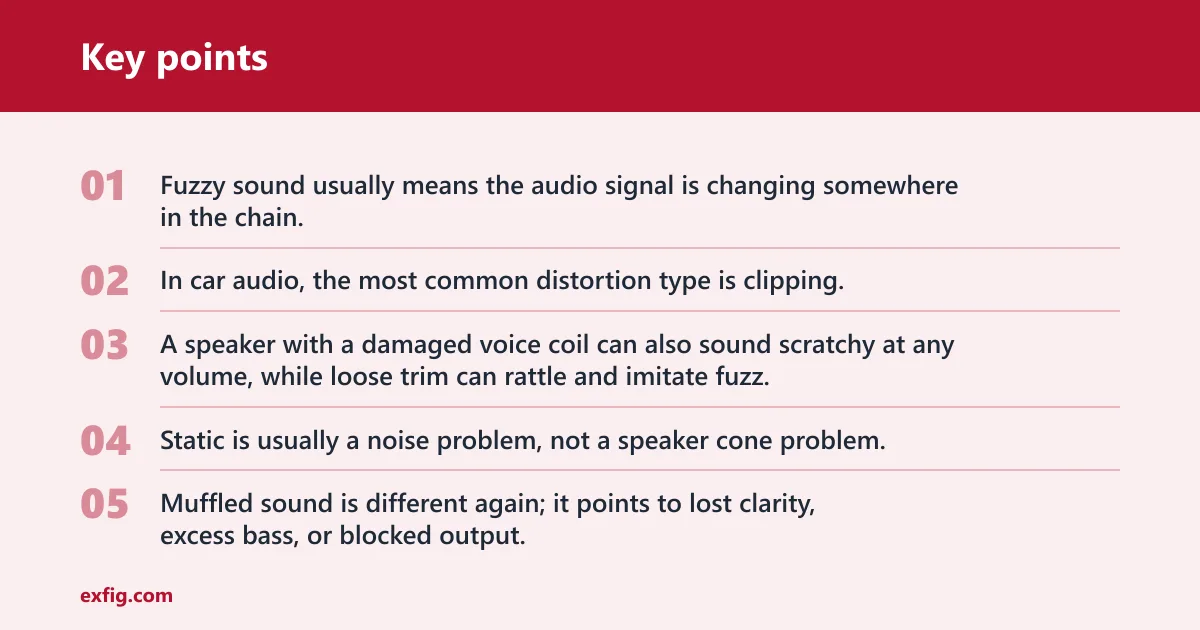
Fuzzy sound usually means the audio signal is changing somewhere in the chain. The key is to separate true distortion from static, muffling, and rattles, because each one points to a different failing stage. A sound pattern that changes with volume, bass, one speaker, or radio reception tells you far more than the volume knob alone.
What fuzzy sound usually means
In car audio, the most common distortion type is clipping. That happens when signal power exceeds what speakers or amplifiers can handle, so the waveform peaks flatten and the sound turns harsh. A speaker with a damaged voice coil can also sound scratchy at any volume, while loose trim can rattle and imitate fuzz.
How fuzziness differs from static, muffling, and rattles
Static is usually a noise problem, not a speaker cone problem. It often changes with location, engine load, or driving conditions, especially on radio. Muffled sound is different again; it points to lost clarity, excess bass, or blocked output. Rattles can come from panels, clips, or mounts vibrating against each other.
Why the sound pattern matters more than the volume knob
The same symptom name can hide different faults. If fuzz starts only near loud playback, clipping is more likely than speaker damage. If it starts on bass hits, the door speaker may be overloaded, or a weak mounting resonance may be involved. If it affects every source the same way, look at the amplifier, wiring, or a bad speaker channel before you replace multiple parts.
Fuzzy sound diagnosis matrix
Use the sound pattern first. Then match it to the likely stage and the quickest no-cost test.
| Symptom pattern | Likely cause | Quickest test | First fix |
|---|---|---|---|
| High-volume fuzziness | Amplifier clipping or head unit clipping | Reduce source volume to about 80% of true maximum and turn off loudness or EQ | Lower gain, flatten EQ, and avoid maxing the source |
| Bass-hit fuzziness | Door-speaker overload or weak mounting resonance | Disable bass boost, then raise the high-pass filter into the 70-120 Hz range for door speakers | Set an HPF and reduce low-end boost |
| One-speaker-only fuzziness | Damaged speaker, voice coil rub, or loose mounting | Use balance and fade, then move the channel to see whether the fault follows the speaker | Reseat the mount or replace the speaker if the fault stays with it |
| All-speakers fuzzy with radio or phone input | Source clipping, Bluetooth output issues, or shared wiring fault | Switch sources and lower processing such as EQ, loudness, or bass boost | Adjust source settings, then inspect RCA or signal wiring if the problem persists |
Why do my car speakers sound fuzzy at high volume?
High-volume fuzziness most often points to clipping. That can happen in the amplifier or in the car head unit when source volume, loudness, or EQ asks for more signal than the system can cleanly deliver. The peaks flatten, tweeters are often hit first, and the sound turns harsh before it turns obviously broken.
Amplifier clipping and flattened waveform peaks
Clipping is the most common distortion type. It happens when the amplifier is pushed past its clean output and the waveform peaks flatten instead of rising smoothly. A gain setting that is too high can trigger it early, and speaker damage can follow if the signal stays clipped long enough. (Wikipedia)
Head unit clipping from source volume, loudness, or EQ
The car head unit can clip before the volume control reaches its maximum. Loudness settings and heavy EQ boosts raise the demand on the source, and Bluetooth or phone output can also feed in a harsh signal. Tacotunes advises against tuning to maximum head-unit volume and recommends a max around 80% of true maximum.
Why tweeters are often the first to suffer
Tweeters receive the most delicate part of the spectrum. When clipping happens, the flattened peaks add high-frequency energy that they do not like. That is why a system can still sound loud while becoming abrasive, especially on bright vocals, cymbals, and sibilant voices.
Why do my car speakers sound fuzzy only when the bass hits?
Bass-hit fuzziness usually means the door speaker is being asked to play too much low frequency. Deep bass uses more cone travel, so the speaker runs out of control sooner and sounds strained or muddy. The problem often improves when you filter out sub-bass, lower bass boost, or stop relying on a small door speaker for low-end output.
Low-frequency overload in door speakers
Door speakers are poor at deep bass when they are run full range. Improve Car Audio lists a common starting HPF range of 80-120 Hz for factory door speakers and 70-100 Hz for aftermarket 6.5 inch speakers. Small dash speakers often need 150-250 Hz. Those settings keep deep bass from overworking the cone.
How a high-pass filter helps
A high-pass filter blocks the lowest notes from reaching the speaker. That reduces cone travel, lessens distortion on bass-heavy tracks, and helps the speaker play cleaner at the volume it can actually handle. For many door speakers, 70-120 Hz is a practical starting range, then you adjust by ear.
When bass boost and loudness are the problem
Bass boost and loudness can push a healthy speaker into distortion before the rest of the system sounds stressed. If the fuzz appears mainly on kick drums or bass guitar, turn those settings off first. If your front doors sound clean on vocals but fuzz every time the bass drum hits, that pattern points more toward bass overload than a bad tweeter.
Why does only one car speaker sound fuzzy?
When only one speaker sounds fuzzy, the fault is often local to that speaker or its mounting. A damaged voice coil can rub and create a scratchy sound at any volume, but a loose door mount can also buzz and mimic a bad speaker. The cleanest clue is whether the problem follows the speaker or stays with the channel.
Speaker voice coil rub or partial damage
A partly damaged speaker can still play audio, which is why the problem is easy to miss. Voice coil rub often sounds scratchy, rough, or papery, and it can show up even at moderate volume. If balance and fade move the same fuzz to another speaker position, the speaker itself is more suspect than the radio.
Loose mounting and panel vibration
Door speaker mounting matters. A loose frame, weak seal, or flimsy panel can buzz when the cone moves, and the noise may sound like speaker fuzz even though the driver is fine. Sound dampening material reduces unwanted vibrations, rattles, and squeaks, and can improve perceived clarity, but it cannot fix a damaged voice coil.
When the problem follows the speaker and when it stays with the channel
If the fuzz follows the speaker after a channel swap, the speaker is the likely failure. If the fuzz stays with the same amp channel or source output, wiring or electronics are more likely. A common first-timer mistake is replacing the speaker before checking whether the noise stays on the same channel.
What causes fuzziness after an amp or stereo install?
Fuzz after an install often comes from RCA cables, signal wiring, or grounding mistakes. Poor routing can pick up noise, and poor grounding can add static or haze that did not exist before. If the system worked before the install and changed right after, the new parts of the signal path deserve the first look.
RCA cables and signal wiring faults
RCA cables can introduce static when they are poorly grounded, damaged, or routed near power cables. That is common after aftermarket installs. A bad connector can make one channel fuzz while the other stays clean, which is why channel-specific checks matter before you assume the speaker is worn out.
Grounding and routing problems that add static
Static that changes with engine speed, alternator load, or cable routing is a wiring clue, not a speaker cone clue. Keep signal wiring away from power runs where possible, and make sure ground points are solid and clean. The same source notes that distortion can come from a damaged speaker, loose wiring, or a bad channel.
How to separate source noise from speaker damage
Switch between radio, Bluetooth, and a wired phone source to help separate source noise from speaker damage. If the fuzz stays on every source, the problem is likely farther down the audio chain. If it shows up only with radio and changes with location or driving conditions, antenna or interference paths move higher on the list. Radio static is not the same thing as speaker distortion.
What settings and checks should you try first?
Start with the free checks. Turn off loudness, bass boost, and aggressive EQ first, then lower volume and listen again. If the fuzz disappears, you have learned that the problem is gain staging or source processing, not automatically a bad speaker. Parts replacement should come after those checks, not before them.
-
Flatten the source settings. Turn off loudness, bass boost, and any heavy EQ curve. Those settings can make a healthy system sound harsh before any hardware is actually failing.
-
Reduce the source volume. Keep the head unit below full tilt and listen again. Tacotunes recommends a max around 80% of true maximum, since pushing the source to the top can cause clipping.
-
Use balance and fade. Move the sound around the cabin to isolate one speaker or one channel. If the fuzz stays on one corner, that points to a local speaker, mount, or wire.
-
Set a sensible HPF. For door speakers, start around 70-120 Hz depending on the speaker size and what the system is doing.
-
Check for rattles. Press lightly on the door panel, trim, or grille while audio plays at a modest level. If the sound changes, resonance is part of the problem, and sound dampening material can help more than a new speaker.
-
Inspect install wiring. If the issue began after an amp or stereo install, look at RCA cables, grounds, and routing first. Poor connections can create static that sounds like fuzz but is not speaker damage.
-
Decide on parts only after testing. Replace a speaker if the scratchy sound follows the driver or if the voice coil is clearly rubbing. Replace or retune the amplifier path if clipping, gain, or a bad channel is the real issue.
Free tests versus replacement decisions
No-cost tests: turn off loudness, EQ, and bass boost; lower the source volume; switch between radio, Bluetooth, and phone; move balance and fade; listen for panel vibration; and check whether the sound changes with location or driving conditions.
Replacement decisions: buy a speaker only if the fuzz follows that speaker or it scratches at any volume; buy wiring parts only if a cable, ground, or connector is clearly at fault; replace an amp only after clipping, gain, or a bad channel has been isolated.
Frequently asked questions
Why do my car speakers sound muffled instead of clear?
Muffled sound usually means the audio is losing clarity, not necessarily that it is clipping. Too much low end, blocked speaker output, weak mounting, or a panel that vibrates can blur the sound. If turning down bass or changing the high-pass filter helps, the issue is likely in the speaker setup rather than the source file.
Why do my car speakers sound scratchy or crackly?
Scratchy or crackly sound often points to a damaged speaker, especially a voice coil that rubs. It can also come from clipping, poor wiring, or a bad channel. If the noise is present at any volume and stays with one speaker, the driver itself is a stronger suspect than the radio or phone.
Why do my car speakers sound static after installing an amp or stereo?
Static after an install often points to RCA cables, grounding, or routing. A poor ground or a cable run near power wiring can add noise that sounds like fuzz. If the noise changes with engine speed, location, or source choice, separate the wiring path from the speaker path before replacing hardware.
How can I tell if the fuzziness is clipping or a damaged speaker?
Clipping usually appears at higher volume and affects several speakers or the whole system at once. A damaged speaker often sounds scratchy at any volume and may stay bad when you move balance or fade to that channel. If the sound follows the speaker, the driver is the likelier fault.