Car Charger Not Working: Causes and Fixes

Car chargers often fail for one of a few common reasons: no 12V power, a blown fuse, a bad cable, a failed adapter, or a phone-side limit; a common rule of thumb is to test power first, then swap one part at a time. Guessing wastes money, points you at the wrong part, and can leave you without navigation, calls, or battery on the road. This guide gives you a fast diagnostic tree for lighter-port adapters, built-in USB ports, wired charging, and wireless car mounts.
What you’ll need
- A known-good phone or another USB-powered device
- A known-good charging cable that fits your device
- Your car’s owner’s manual or fuse-box diagram
- A spare fuse with about the same amperage rating as the original
- A flashlight
- A wooden or plastic pick for lint and debris
- An optional USB-C car charger with Power Delivery support for comparison
Why is your car charger not working?
A car charger usually fails because the vehicle is not supplying power, the charging accessory is not passing power correctly, or the phone is refusing the charge. Split the problem into those three paths first: outlet or built-in USB power, adapter or cable output, then phone or wireless charging limits.
Power source failure
The first split is simple: is the car’s 12V cigarette lighter outlet live, or is the built-in USB port active? In many vehicles, accessory power switches with the key, so the outlet or USB port may work only in ACC or ON. If the adapter’s LED stays dark and no other accessory works in that socket, treat it as a vehicle-power problem first.
Accessory failure
If the outlet has power, move to the plug-in parts. A USB car charger adapter can fail internally, lose contact in a worn socket, or negotiate the wrong charging profile. A cable can fail too, even without visible cuts, especially at the connector ends where internal conductors often break.
Phone-side refusal
If the charger powers on but the phone still will not charge, the phone may be blocking or limiting input. Common causes are lint in the charging port, a moisture alert, heat protection, an unsupported fast-charge profile, or battery protection behavior that slows or pauses charging near full.
Charger fault matrix
| Symptom | Most likely cause | Quickest confirmation test | Fix |
|---|---|---|---|
| Adapter LED off; no charging in 12V socket | Dead lighter port, ignition-switched outlet, or blown fuse | Turn key to ACC or ON, then test the same socket with another 12V accessory | Use the powered ignition position; replace the fuse with the same amperage rating; inspect the socket center contact |
| Adapter powers on, but phone never starts charging | Bad cable, connector wear, port debris, or weak adapter output | Keep the same adapter and switch only the cable | Install a known-good cable, then inspect and clear packed lint from the phone’s charging port with a wooden or plastic pick; use a higher-output adapter if the phone needs USB-C Power Delivery |
| Charging cuts out over bumps | Loose 12V socket fit or worn spring contacts | Press the adapter inward gently; if charging returns, contact is weak | Try a tighter-fitting adapter; inspect the socket for wear or bent contacts |
| Battery percentage still drops while maps and screen are on | Slow charging from low wattage, non-PD output, or a weak cable | Reduce screen brightness and navigation load for 2 minutes; if battery loss stops, input power is too low | Use a higher-output USB-C PD adapter and a compatible cable |
| Built-in car USB port charges very slowly | Low-power or data-focused factory USB port | Compare it with a plug-in 12V USB-C adapter using the same cable | Use the 12V outlet with a PD-capable adapter for higher charging power |
| Wireless mount starts charging, then stops | Heat, alignment shift, or magnet misalignment | Place the phone dead center on the charging area, then run one full test cycle with the case removed | Improve alignment, use a thinner case, and reduce heat near the mount |
| Wireless mount lights up, but no stable charge | Underpowered input to the mount | Check the adapter feeding the mount; a Qi2 mount needs at least 20W of input power | Use a higher-output adapter matched to the mount’s stated input requirement |
| Charger will not go in or will not stay seated | Debris in the 12V socket, bent center contact, oversized adapter body, or damaged phone connector | Inspect with a flashlight before forcing the plug | Clear debris carefully; stop using a damaged socket or connector |
| Wireless charging weak only with a case on | Case too thick or metal interference | Retest without the case; a case over about 3mm can reduce wireless performance | Use a thinner case and remove metal plates, rings, or wallet accessories |
| Fuse blows again soon after replacement | Socket short or accessory fault | Install the correct fuse, leave the charger unplugged, then retest the socket | Stop use if the fuse repeats; inspect the socket and accessory for a circuit fault |
How do you find the failed part fast?
The fastest method is to hold the setup steady and change only one part per test. Confirm vehicle power first, then outlet contact, then adapter output, then cable, then phone behavior, and only then move to wireless alignment or heat checks.
- Set the car to ACC before testing. Put the vehicle in ACC or ON before testing. Some 12V outlets and built-in USB ports are ignition-switched, so a dead charger with the key off may be normal rather than a fault.
- Check for socket power. Plug in the charger and look for its power LED if it has one. If there is no light, test the same 12V socket with another accessory, or move the same charger to another known-live socket in the vehicle.
- Confirm the adapter fits firmly. Push the adapter in until fully seated, then wiggle it lightly. If charging starts and stops with pressure or bumps, the 12V socket contacts may be worn or the adapter body may be slightly loose for that socket.
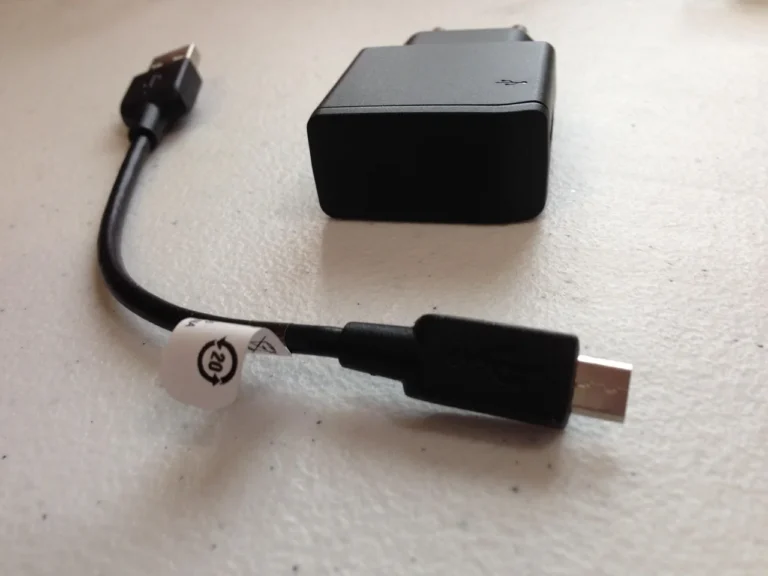
- Swap only the cable. Leave the adapter and socket alone, and change only the charging cable. This catches internal cable breaks, worn USB-C or Lightning ends, and charge failures that do not show as visible damage.
- Swap only the phone. Plug a second phone or small USB device into the same adapter and same cable. If the second device charges, the original phone is likely refusing charge because of debris, heat, moisture, or profile mismatch.
- Test a higher-output adapter. If charging appears but the battery still drops during navigation, swap to a known-good USB-C Power Delivery adapter. USB-A and low-output factory USB ports often cannot keep up with the screen, GPS, and cellular radio at the same time.
- Run wireless checks last. For a wireless mount, keep the same phone and center it carefully on the pad or magnets before you change anything else. A wireless car charger is usually limited by heat, case thickness, input power, or alignment.
Say your adapter LED is dark in the front socket, but the same adapter works in the rear cargo outlet with the same cable and phone. That narrows the fault to the front 12V socket, its fuse, or ignition state in less than a minute.
For example, a phone may show the charging icon on a built-in dashboard USB port, but the battery may still drop slightly, from about 42% to 39%, while running maps and music. That is a slow-charging limit, not the same fault as no charging, and it points to weak output rather than a dead cable.
Pinpoint the broken component
If your charger suddenly stops working, the fastest fix is to test the outlet, cable, and charger separately instead of swapping parts at random. The supporting guide shows that order clearly, starting with a known-working device in the 12V socket and moving through the fuse, charger, and cable only if needed. That matters because a single failed part is usually the real cause.
Use car charger troubleshooting to match the symptom to the likely fault, so you can replace only what’s broken and restore power for your phone, GPS, or dashcam without guesswork.
Why is the lighter port not working?
A lighter port usually stops working because it is not powered in the current ignition position, its fuse is blown, or its internal contacts are worn. Check key position first, then look for a dead center pin, weak side contacts, debris, or a repeated fuse failure.
Ignition-switched outlets
Do not assume every 12V outlet is always live. Some cars keep one outlet active with the key removed, while others power every accessory socket only in ACC or ON. If the charger suddenly “stopped working” after parking, the outlet may simply be switched off with the ignition.
Fuse failure signs
A blown fuse often shows up as a completely dead socket: no LED on the adapter, no power to a tire inflator, and no response from any accessory. Use the owner’s manual or fuse-box legend to find the exact fuse for the 12V outlet or power point, then replace it with the same amperage rating. Never install a higher-rated fuse to stop repeat failures.
If a fresh fuse fails again, stop using that socket until the fault is found. A repeated breaker trip points to a circuit fault, and the same logic applies here when a power outlet repeatedly blows its fuse.
Socket wear and loose fit
The 12V cigarette lighter outlet is a physical contact system, and age matters. The center contact can flatten, side springs can weaken, and some adapters fit loosely enough to lose power over bumps. If the plug feels sloppy or charging comes back only when pushed inward, the socket or adapter fit is the issue.
- Inspect the socket. Use a flashlight with the car off. Look for coins, foil, broken plastic, or a bent center contact before inserting another plug.
- Check the fuse chart. Open the owner’s manual to the fuse-box diagram and locate the outlet or power-point fuse. Pull only that fuse first so a dead USB port elsewhere does not send the diagnosis in the wrong direction.
- Match the amperage. Install a replacement with the exact same amperage marking as the removed fuse. This protects the circuit the way the vehicle maker intended.
- Retest over bumps. After replacement, drive a short smooth loop, then a rougher section if safe. If charging cuts out only with vibration, the socket grip or adapter body fit is still suspect.
Why is the charger connected but not charging?
If the phone shows no charging even though the charger is plugged in, the fault is usually adapter output, cable failure, connector contamination, or a phone-side block such as heat, moisture, or unsupported fast-charge negotiation. Separate “power present” from “usable charging current” before replacing parts.
USB-A, USB-C, and Power Delivery limits
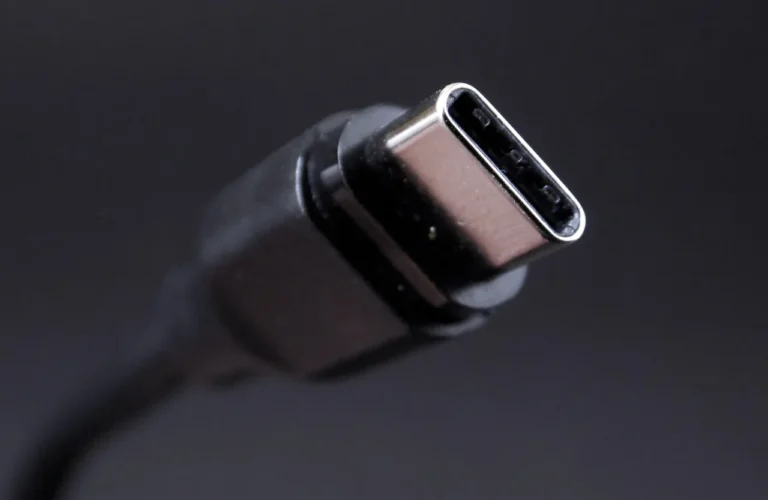
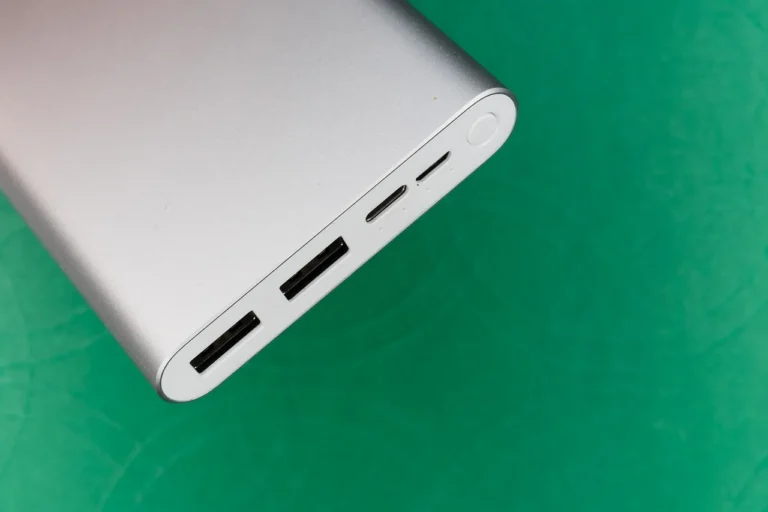
Built-in vehicle USB ports are often weaker than a plug-in 12V adapter, and some are aimed at data rather than higher-power charging. A USB-C car charger with Power Delivery support can offer charging profiles many phones expect for faster wired charging, while a basic USB-A adapter may leave the battery level flat or falling under heavy use.
Do not assume any USB-C charger will fast-charge any phone. Fast charging depends on wattage, the USB-C Power Delivery standard where supported, the cable, and device compatibility. If the phone charges on a wall adapter but not in the car, output negotiation is a likely split point.
Cable faults and port debris
Visible damage is only one cable failure mode. Connector wear, bent pins, and broken conductors near the strain relief are common. Dust, dirt, or debris can also stop charging by keeping the plug from fully seating in the phone port.
- Swap one cable. Keep the same car adapter and same phone, and change only the cable. If charging returns at once, the old cable failed even if the jacket looks intact.
- Check connector seating. Push the device-end connector in fully and feel for a firm stop. A plug that sits slightly proud often means lint is packed into the phone port.
- Clean the phone port. Power the phone off, then remove lint with a wooden or plastic pick under bright light. Avoid metal tools that can damage contacts.
- Try a stronger adapter. Move the same cable and phone to a known-good USB-C PD car adapter. If charging improves, the original adapter or built-in USB port was the bottleneck.
Phone-side charging refusal
The charger may be fine while the phone refuses input. Heat protection can pause charging, moisture detection can block the port, and dirty contacts can interrupt negotiation. Overheating can temporarily disable wireless charging, and wired charging can also slow or stop when the phone is too warm.
If the phone displays a moisture alert, follow the phone’s on-screen instructions rather than forcing repeated reconnects. If the device is hot from navigation on the windshield, cool the cabin airflow first, then retest. A common first-timer mistake is blaming the adapter when the phone itself is limiting charge to protect the battery.
Why does the wireless car charger start and stop?
Wireless car charging usually cuts in and out because the phone is misaligned, the mount is underpowered, the case is too thick, or heat has forced charging to throttle. Check input power and physical centering before changing mounts, because wireless faults often look like random disconnects.
Qi, Qi2, and input power
Magnets alone do not prove Qi2 support. A Qi2 mount needs at least 20W of input power, a Qi2.2 mount needs 35–40W of input power, and a Peltier-cooled mount needs 45–60W of input power. If the mount is fed by a weak USB-A adapter, stable wireless charging may never start.
Alignment, coil position, and case thickness
A wireless mount can cut in and out because of magnet misalignment. That is especially common when the phone case shifts the phone off center or when a non-magnetic phone is clamped slightly high or low. A case over about 3mm can reduce wireless performance, and the usual fix is a thinner case.
Metal plates, wallet inserts, camera rings, and grip accessories can also interfere with the phone charging coil. Qi2 improves alignment by centering the phone more consistently, but poor magnet centering can still leave the charging coils offset enough to cause starts and stops.
Heat throttling
Wireless charging creates more heat than a wired cable, especially in a sunny car. Above about 38–40°C, wireless charging can throttle toward 9–10W. That means a phone may show charging, then gain battery very slowly or cycle on and off as temperatures rise.
- Re-center the phone. Remove and remount the phone so its charging coil sits directly over the mount’s center. On magnetic mounts, let the magnets settle before adjusting angle.
- Remove the case. Test one full drive without the case or attached wallet. If charging stabilizes, use a thinner case or remove metal accessories from the back of the phone.
- Upgrade the input adapter. Feed the mount from a car adapter that matches the mount’s stated input requirement. A weak adapter upstream can make the mount look defective.
- Reduce heat load. Move cabin air toward the mount and keep the phone out of direct sun where possible. If charging improves after cooling, heat throttling was the main limit.
Picture a magnetic mount that charges fine for five minutes, then drops out whenever the cabin warms up and the phone case is left on. Change only one variable at a time, remove the case first; if the dropouts stop, thickness or alignment was the trigger, not the car socket.
Common mistakes
- Replacing the adapter before confirming the 12V outlet actually has power in ACC or ON.
- Calling every problem “the charger” and blending the socket, adapter, cable, and phone into one part.
- Using a built-in USB port as the reference test when that port may be low power or data-focused.
- Assuming a cable is good because the outer jacket looks fine.
- Forcing a charger into a dirty or damaged lighter socket.
- Replacing a blown fuse with a higher amperage fuse.
- Assuming a magnetic wireless mount is automatically Qi2.
- Treating slow charging and no charging as the same fault.
- Ignoring a burning smell or discoloration, which is a stop-use sign.
If that didn’t work
- Test another vehicle socket. Move the same adapter, same cable, and same phone to a second 12V outlet in the car if one is available. This keeps the accessory chain unchanged and isolates the original socket.
- Try another phone. Use the same adapter and cable with a second device. If only one phone refuses charge, inspect that phone for port debris, moisture alerts, heat, or charging profile limits.
- Replace the cable first. Cables fail more often than sockets and cost less than mounts or adapters. Choose one rated by the maker for the phone’s charging standard.
- Replace the adapter next. If the socket is live and multiple cables fail on the same adapter, the adapter is the next likely part. For newer phones, start with a USB-C PD model rather than another low-output USB-A plug.
- Inspect the fuse and socket. If adapters lose power or fuses keep failing, inspect the lighter port and fuse circuit before buying more accessories. Repeated failures point away from the cable and toward the vehicle side.
Prevention. Keep the 12V socket capped when unused, avoid leaving coins near the console, and route charging cables with a gentle bend radius instead of a tight kink at the phone connector. Those small habits reduce socket contamination and internal cable breaks.
Frequently asked questions
Why charger not working?
If there is no sign of power at all, start with the car side: put the ignition in ACC or ON, then test the same 12V socket with another accessory. If the socket is live, swap only the cable next, then the adapter, so one change points to one failed part.
Why is my charger not going in?
Do not force it. Shine a flashlight into the 12V socket or phone port and look for lint, coins, broken plastic, or a bent contact. If the adapter body is oversized or the center contact is damaged, stop and use another socket until that port is repaired.
Why is my charger not charging?
A connected charger that does not charge usually means weak output, a bad cable, debris in the phone port, or phone-side heat or moisture protection. Keep the same socket and adapter, change only the cable, then test another phone. That order rules out the cheapest parts first.
Why won’t my charger charge?
If the battery still drops while maps, music, and the screen are active, the charger may be too weak rather than fully dead. Compare the built-in USB port with a plug-in USB-C Power Delivery adapter in the 12V outlet. If the PD adapter does better, the original power path was undersized.
Why has my charger stopped working?
Sudden failure often points to ignition-switched power, a blown fuse, or a cable that broke near the connector. Check whether the adapter’s LED still lights in ACC or ON, inspect the outlet fuse in the manual’s fuse chart, and replace that fuse only with the same amperage marking.
Why does my charger not work on the wireless mount?
Wireless mounts fail most often from alignment, heat, case thickness, or weak input power. Center the phone on the charging area, test once with the case removed, and verify the mount’s upstream adapter matches its input needs. If charging starts then stops as the cabin warms, cool the phone and mount and retest.