Dashboard Phone Mounts: How to Choose the Right One

Choose your dashboard phone mount by surface first: smooth hard-touch dashes usually hold suction best, textured or stitched dashes usually need an adhesive pad or anchor mount, and Heavier phones above about 8 ounces often work better with shorter arms and stronger clamps. Get this wrong and the mount can detach in heat, block your view, wobble while tapping, or pull at soft dash coatings and leave adhesive marks on the dash. This guide maps mount type to dash material, phone weight, heat exposure, viewing needs, and charging setup.
The useful split is base type versus phone holder type. A suction cup or adhesive pad is the base that attaches to the car. A magnetic head or clamp cradle is the part that holds the phone. Many products combine them, so a “magnetic dashboard mount” might really mean an adhesive or suction base with a magnetic head.
The right mount has to match the actual dash surface and grip your phone, with its case on, without sliding, tilting, or popping free over bumps. It should place the screen where you can catch directions with a brief glance, without covering the road view, warning lights, vents, or airbag zones. That narrows the field faster than any brand list.
What actually determines a good dashboard phone mount fit?
A good fit comes from three variables working together: the dashboard surface, the phone setup, and the cabin conditions. A mount that looks strong on paper can still fail if it meets deep dash grain, a thick case, direct sun, or a long arm that shakes on rough roads.
Dashboard surface comes first
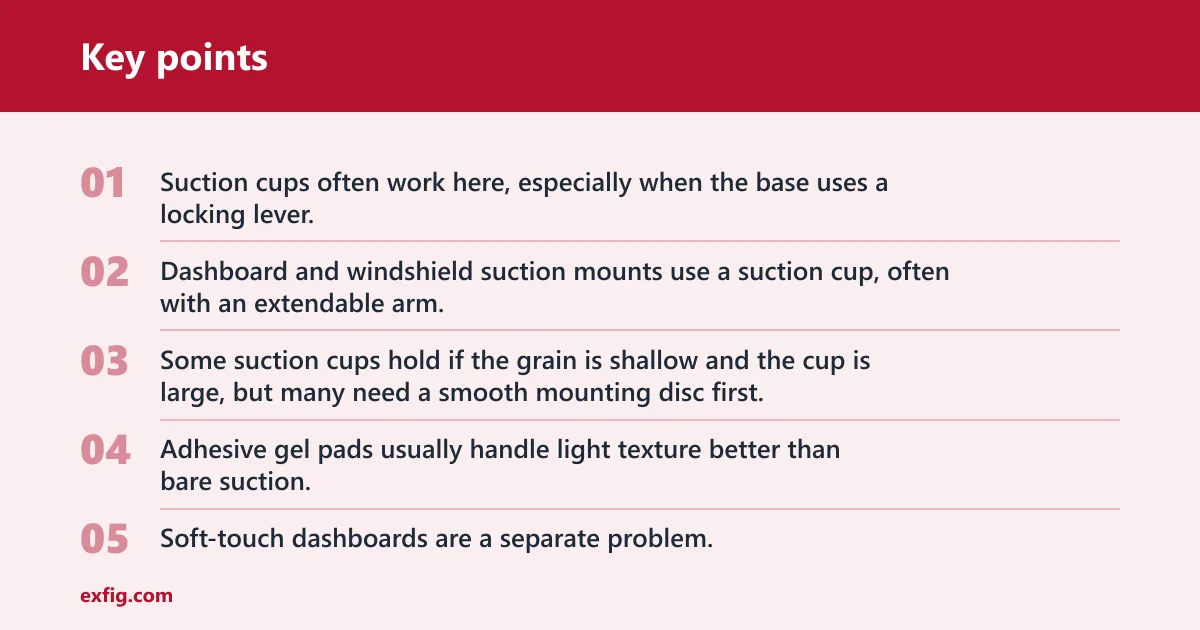
Smooth hard plastic is the easiest surface. Suction cups often work here, especially when the base uses a locking lever. Dashboard and windshield suction mounts use a suction cup, often with an extendable arm.
Lightly grained plastic is less predictable. Some suction cups hold if the grain is shallow and the cup is large, but many need a smooth mounting disc first. Adhesive gel pads usually handle light texture better than bare suction.
Soft-touch dashboards are a separate problem. The top layer can compress, release oils, or shift in heat, which hurts both suction and adhesive. Stitched sections and sharply curved pods are poor targets because the base cannot sit flat enough to keep full contact.
Steep dash angles matter too. A mount can stick well yet still point the phone too low or too far from reach. That is where arm length, ball-joint range, and holder depth start to matter.
Phone setup changes the answer
Phone width is only part of fit. Weight, case thickness, and camera-bump shape often matter more. Clamp mounts hold the phone with spring-loaded or motorized arms, and the better ones also give enough bottom support so a heavy device does not rock when the screen is tapped.
Magnetic heads are quicker to use because the phone snaps on. That speed comes with limits. Non-compatible phones usually need a metal plate, ring, or magnetic case, and thick cases can reduce magnetic strength or move the phone too far from a charging coil.
Say your phone is a large model in a rugged case with a thick MagSafe-style ring and a tall camera bump. A flat magnetic puck may attach, but the bump can tilt the phone off-center. A deep clamp cradle usually copes better because the side arms and lower foot do the holding.
Heat, sun, and vibration decide durability
Cabin heat is a core decision factor, not a footnote. Suction can lose grip in heat, especially on dashboards that get direct sun. Adhesive can soften or weaken after temperature swings, and wireless charging can slow when heat builds around the coil.
Rough roads expose long-arm mounts. The farther the phone sits from the base, the more shake shows up while tapping directions. A short arm with a lower center of gravity usually stays steadier than a fully extended telescopic design.
The telescopic arm on some mounts can help reach. For example, the iOttie Easy One Touch Signature mount has a telescopic arm that extends from 5 to 8 inches. That solves reach on deep dashboards, but extra extension usually means more wobble on bumps.
Mount types and what each one solves
Suction-cup bases
Suction bases are best on smooth, hard surfaces and glass. They often use a locking lever to pull the cup tight, which improves hold. They can work on the dashboard or windshield, but a windshield position can create visibility or legal issues depending on local rules and placement.
The failure mode is simple: imperfect contact or heat breaks the seal. Dust, dressing residue, and deep grain all make that happen sooner.
Adhesive-gel bases
Adhesive gel bases are usually the better pick for textured dashboards when the surface is clean and fairly flat. Surface prep matters. Any oily protectant, dust, or loose soft-touch coating can shorten the bond.
Removal is the tradeoff. Adhesive dash mounts can leave glue residue, lift protectant, or mark soft coatings when removed. They also do poorly on stitched seams, pebbled vinyl with deep valleys, and highly curved sections where only part of the pad touches.
Magnetic heads
Magnetic heads separate speed from surface fit. They can sit on a suction base, an adhesive base, or a vent clip. If the phone is MagSafe or Qi2-ready, attachment is easy. Qi2 is described as the open standard built on the MagSafe-style approach.
For phones without that magnetic system, check whether the mount includes a metal ring or plate, and where that piece can go. Wrong ring placement can block proper wireless charging coil alignment. Thick cases also reduce hold, especially on rough roads.
Clamp cradles
Clamp cradles are usually the safer answer for heavy phones, thick cases, and repeated bumps. Spring-loaded and trigger-release designs can still offer one-handed release, but they are slower than magnets. In return, they tolerate more case shapes and camera bumps.
Look for a wide opening range, deep side arms, and a lower foot that supports weight from underneath. Shorter arms usually shake less than long telescopic setups.
Mount choice matrix
How to read the scores
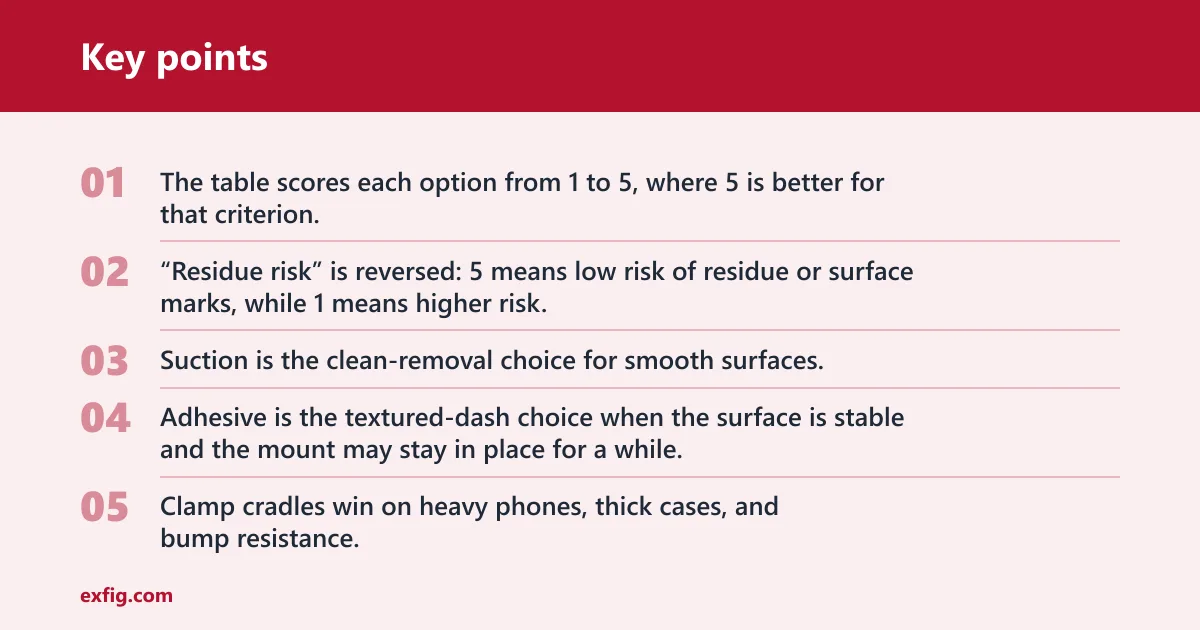
The table scores each option from 1 to 5, where 5 is better for that criterion. “Residue risk” is reversed: 5 means low risk of residue or surface marks, while 1 means higher risk. This matrix separates dashboard surface fit from phone-handling convenience, which is where many bad recommendations start.
| Mount type | Dashboard texture | Heat resistance | Residue risk | One-hand use | Phone weight support | Case compatibility | Visibility | Removal ease | Best for | Avoid if |
|---|---|---|---|---|---|---|---|---|---|---|
| Suction base + clamp cradle | 2/5 | 2/5 | 5/5 | 3/5 | 4/5 | 5/5 | 4/5 | 4/5 | Smooth hard dashboards or glass, larger phones, clean removal priority | Your dash is textured, soft-touch, dusty, or parked in strong sun for long periods |
| Suction base + magnetic head | 2/5 | 2/5 | 5/5 | 5/5 | 3/5 | 2/5 | 4/5 | 4/5 | Smooth surfaces and fast one-hand attach/remove | You use a thick case, have a heavy phone, or drive rough roads |
| Adhesive gel base + clamp cradle | 4/5 | 3/5 | 2/5 | 3/5 | 5/5 | 5/5 | 4/5 | 2/5 | Lightly textured dashboards, heavy phones, thick cases, short-arm stability | You want easy removal or your dash has soft-touch coating, stitching, or sharp curves |
| Adhesive gel base + magnetic head | 4/5 | 3/5 | 2/5 | 5/5 | 3/5 | 2/5 | 4/5 | 2/5 | Textured dashboards and quick daily docking with MagSafe or Qi2 phones | You need residue-free removal, use a thick case, or have weak magnetic alignment |
| Vent mount + magnetic head | 5/5 | 4/5 | 5/5 | 5/5 | 2/5 | 2/5 | 5/5 | 5/5 | Strong straight vent slats, eye-level placement, easy removal | Your vents are round, weak, motorized, or needed for direct HVAC comfort |
| Vent mount + clamp cradle | 5/5 | 4/5 | 5/5 | 3/5 | 3/5 | 5/5 | 5/5 | 5/5 | Moderate phone weight and strong vent slats close to eye level | Your vent sags, rotates, or sits where airflow must stay open |
Best-for and avoid-if summary
Suction is the clean-removal choice for smooth surfaces. Adhesive is the textured-dash choice when the surface is stable and the mount may stay in place for a while. Magnetic heads win on daily speed. Clamp cradles win on heavy phones, thick cases, and bump resistance.
Vent mounts are worth comparing because they bypass dash-surface problems. Vent mounts clip onto vent slats and can sit close to eye level. They are still poor picks for round, unusual, weak, or motorized vents, and they can block airflow.
Are suction or adhesive dashboard mounts better?
Suction is better when the mounting area is smooth, flat, and easy to clean, and when clean removal matters. Adhesive is better when the dashboard has light texture that breaks suction. Heat, sun exposure, and future removal plans usually decide the winner more than brand or price.
When suction is the better pick
Pick suction on smooth hard plastic or glass, especially if you may move the mount later. The locking lever found on many suction cups helps create a stronger seal. If the cabin gets hot, suction still needs occasional checks because heat can reduce grip.
Suppose a car has a hard, flat dashboard pad near the center and no soft-touch coating. A suction base with a short arm and clamp cradle is a sensible fit. The surface supports the cup, the short arm limits wobble, and removal later is usually easier than peeling adhesive.
When adhesive is the better pick
Pick adhesive gel when the dashboard has light grain and there is a flat patch large enough for the pad to sit fully. Clean the area first. If the dash has protectant residue, the bond may fail early even if the first install feels strong.
Adhesive is often the only dashboard-first option on textured surfaces, but it is not the answer for every texture. Deep grain, stitched panels, and soft-touch skins remain risky because the bond line is uneven or unstable.
Where each one fails first
Suction usually fails first from poor sealing: dust, pores in the surface, or heat. Adhesive usually fails first from contaminated surfaces, temperature swings, and removal stress. Adhesive dash mounts can also leave residue when removed, so removal risk should be part of the decision from the start.
Will a dashboard phone mount work on a textured dashboard?
A dashboard mount can work on a textured dashboard if the texture is shallow, the area is flat enough, and the mount uses an adhesive pad or a smooth mounting disc. Deep grain, stitched panels, soft-touch coatings, and sharp curves stay poor candidates even when a product claims broad compatibility.
Light texture versus deep grain
Light texture can still give enough contact for an adhesive gel pad. Deep grain creates air gaps that cut holding power. If the surface feels pebbled or the mount base rocks before peeling the backing, expect weaker results.
When a mounting disc helps
A mounting disc can create the smooth patch that suction needs. The disc itself usually uses adhesive, so the real tradeoff remains: stronger fit on texture versus possible residue later. Discs help most on lightly grained hard plastic, not on soft dashboards that flex under load.
Picture a lightly grained dashboard with a flat oval patch above the center vents. A mounting disc can bridge that grain and let a suction cup lock onto a smooth surface. Change one variable to a stitched dash brow, and the same disc becomes a poor bet because the base cannot sit flat.
When curved or soft-touch dashboards are poor candidates
If the dashboard curves in two directions, the base contact shrinks to a few edges. That raises peel stress and wobble. Soft-touch coatings add another problem: the top layer itself can let go before the mount does.
In those cases, a vent mount, windshield suction mount, or a vehicle-specific anchor mount often makes more sense than forcing a dashboard install.
Is a magnetic mount better than a clamp mount?
A magnetic mount is often better for quick one-hand docking and removal, especially with MagSafe or Qi2-ready phones. A clamp mount is often a better choice for heavier phones, thick cases, uneven camera bumps, and more stable use on rough roads. The better choice depends more on phone setup and driving conditions than on convenience alone.
One-hand speed and daily convenience
Magnetic heads are the fastest setup. The phone snaps into place and lifts off with one hand. That is useful for short trips with frequent stops, as long as the mount sits where the screen stays in a quick-glance zone and does not block the road view.
Clamp cradles can also be one-hand friendly when they use a trigger release or a well-tuned spring. They simply ask for one extra motion.
Heavy phones, thick cases, and bump resistance
Clamp cradles usually hold heavy phones more securely because they support both width and weight. Look for deeper side arms, a stable bottom foot, and less extension. A long telescopic arm can magnify shake, so a shorter setup is often the better match for a phone above about 8 ounces.
Magnetic heads can be stable too, but only when the magnet array, alignment ring, and case thickness all cooperate. Thick shock cases are the common weak point.
MagSafe, Qi2, metal plates, and case limits
MagSafe and Qi2-ready phones are the cleanest match for magnetic mounts. For other phones, a metal plate or ring may be required. That can interfere with wireless charging if the piece sits over the charging coil or if alignment is off-center.
Case checks matter. A grippy case texture can help a clamp stay put. A big camera bump can tilt some magnetic pucks. Very thick wallet-style cases are poor fits for both magnetic hold and many clamp opening ranges.
What should you look for if you want charging too?
If charging matters, check three things before buying: phone and charger compatibility, coil alignment through the case, and the car’s power source. Qi2 charging can reach up to 25W in newer systems, but actual power depends on the phone model, the charger, the adapter, and cabin heat.
Qi2 and MagSafe charging compatibility
Qi2 is the cleaner path because its magnetic alignment helps keep the charging coil centered. A compatible charger and compatible phone are both required. If the phone is only using an added metal ring, charging success depends on exact ring placement and case thickness.
Wireless charging on a mount is most useful when the phone spends long periods on navigation. It is less useful if the cabin runs hot and the phone already struggles with screen brightness and heat.
Power, cable, and adapter checks
- Check phone compatibility. Confirm whether the phone supports Qi2, MagSafe-style alignment, or standard Qi charging only. This determines whether the mount will charge at full supported power, partial power, or not at all.
- Verify case fit. Make sure the case is not too thick and that any magnetic ring lines up with the charging coil. Misalignment can cause slow charging, repeated connect-disconnect cycles, or extra heat.
- Match the power adapter. Read the charger’s required input and compare it with the car adapter or USB port you plan to use. A weak power source can leave a “charging” icon on screen while battery percentage barely rises during navigation.
- Plan cable routing. Route the cable so it does not cross climate controls, the shifter, or steering reach. Tension on the cable can pull on the mount head and add vibration over bumps.
- Choose wired if heat is constant. In hot cabins, wired charging often works better than wireless because there is less conversion heat at the mount. That matters when the phone runs navigation, bright screen output, and background data at the same time.
Why heat can slow wireless charging
Wireless charging already creates some heat at the coil. Add direct sun and a hot dashboard, and the phone may cut charging speed to protect the battery. The charger can still be working while the phone takes power more slowly.
A common first-timer mistake is buying a magnetic charging mount for summer use, then pairing it with a thick case and a low-output adapter. The phone attaches fine, but charge gain during navigation is small because alignment, airflow, and power input all work against it.
Can a dashboard phone mount block your view while driving?
Yes. A dashboard phone mount can block the road view, warning lights, or airbag paths if it sits too high, too close to the driver, or too far from the dash. Good placement keeps the screen in a quick glance zone without covering instruments, vents, or deployment areas.
Sightline placement and instrument visibility
The screen should be easy to glance at, not something that sits in the center of the windshield view. Mounts should not block airbags or warning lights. A lower center-dash position often works better than a high dashboard brow mount for this reason.
Windshield suction mounts deserve extra care because local rules can limit where glass-mounted items may sit. Even where allowed, a big phone on a long arm can create a blind spot at intersections.
Airbag zones and reach
Do not place a mount over an airbag cover or where a passenger airbag may deploy upward or outward. Avoid positions that force a long reach across the cabin. Fast one-hand use is only useful if the phone is within easy reach and the mount does not invite mid-drive adjustments.
Short arm versus telescopic arm positioning
Short arms are easier to keep out of the way and usually shake less. Telescopic arms help when the dash is deep or the driver sits far back, but extension increases movement. If a mount reaches from 5 to 8 inches, use only as much extension as needed, not the full range by default.
How to choose the right mount for your exact setup
Choose in this order: dashboard surface, phone weight and case, heat exposure, then handling needs. That order prevents the most common mistake, which is picking a magnetic or charging feature first and only later discovering that the base will not hold on the actual dashboard.
Practical selection steps
- Identify the dash surface. Check whether the target area is smooth hard plastic, lightly grained plastic, soft-touch, stitched, or sharply curved. If it is soft-touch, stitched, or strongly curved, move quickly toward a vent, windshield, or vehicle-specific anchor option.
- Measure the flat patch. Compare the available flat area with the mount base diameter or pad shape. A base that partly hangs over a curve will wobble even if the adhesive initially sticks.
- Check phone and case bulk. Note whether the phone is heavy, uses a thick case, has a large camera bump, or needs charging through the case. Heavy setups usually point toward a clamp cradle and a shorter arm.
- Rate your cabin heat. If the car sits in direct sun or runs hot, treat heat as a deciding factor for suction, adhesive, and wireless charging. In very hot cabins, clean-removal suction on glass or wired charging can be the safer compromise.
- Decide removal priority. If you want the mount off later with minimal surface risk, favor suction on a suitable smooth surface or a vent mount with compatible slats. If the mount can stay put long term, adhesive becomes easier to justify.
- Choose the holder style. Pick magnetic for fast one-hand attach and remove when the phone and case support it well. Pick a clamp cradle for thick cases, rough roads, and heavier phones that need more mechanical support.
- Test the sightline. Sit in the normal driving position before final install. Confirm that the phone stays in a quick glance zone and does not block the road view, gauges, warning lights, or climate controls.
Frequently asked questions
How do I choose the right dashboard phone mount?
Start with the dashboard surface, not the holder style. Smooth hard dashboards can suit suction, while lightly textured dashboards usually need adhesive or a mounting disc. Then check phone weight, case thickness, cabin heat, and whether quick one-hand use or easy removal matters more.
What should I look for in a dashboard phone mount?
Look for surface compatibility, stable phone retention, clean sightline placement, and realistic heat tolerance. Then check whether the holder matches the phone case, whether the arm is short enough to limit wobble, and whether charging needs a better power adapter or a thinner case.
What is the best dashboard phone mount for heavy phones?
A short-arm mount with a clamp cradle is usually the safest choice for a heavy phone. The side arms and bottom support control rocking better than magnets alone, especially on rough roads. Avoid long extension unless reach absolutely requires it, because more length means more shake.
How do I know if a dashboard mount will fit my phone case?
Check clamp opening width and depth, magnetic ring alignment, camera-bump clearance, and case thickness. Thick rugged cases can weaken magnetic hold and disrupt wireless charging alignment. For clamp cradles, make sure the side arms can close fully without pressing the phone’s buttons or camera bump.